Stay Up To Date
We believe in keeping you in the loop with all the latest happenings in our courses and system. On this page, you'll find a comprehensive log of all the exciting changes, improvements, and additions we make to our courses and system. Whether it's a new feature, a course enhancement, or a system update, we've got you covered. Bookmark this page and check back regularly. We're committed to ensuring that your learning experience remains exceptional and that you have all the information you need to succeed.

New Features

New Updates

Resources & Tools

Important Updates
Here are some of the most recent updates we thought would be helpful to take note of
Improved Feature: Communities Learning Tab
Exclusive learning experiences create a feeling of importance for customers. So, we’re glad to announce the inclusion of private courses and manual access management in your Communities. Let's check how this update works!
⭐️How Will These Fields Work?:
Course Grant & Revoke: Admins can grant access to any course in the community or revoke course access when needed.
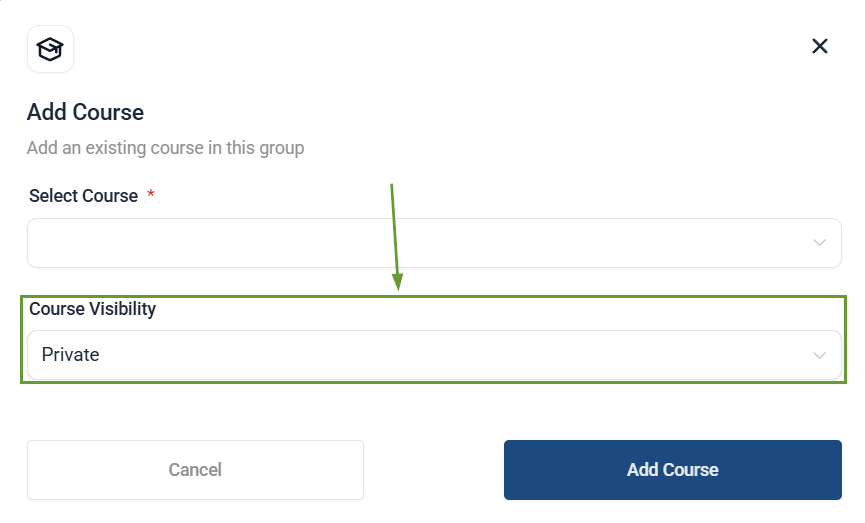
Private Courses: These are accessible only when an admin grants access and cannot be unlocked automatically.
⭐️How To Grant Or Remove Access To A Course?
Once you’ve created a private course, you’ll want to add users to it, so let’s learn how to do it!
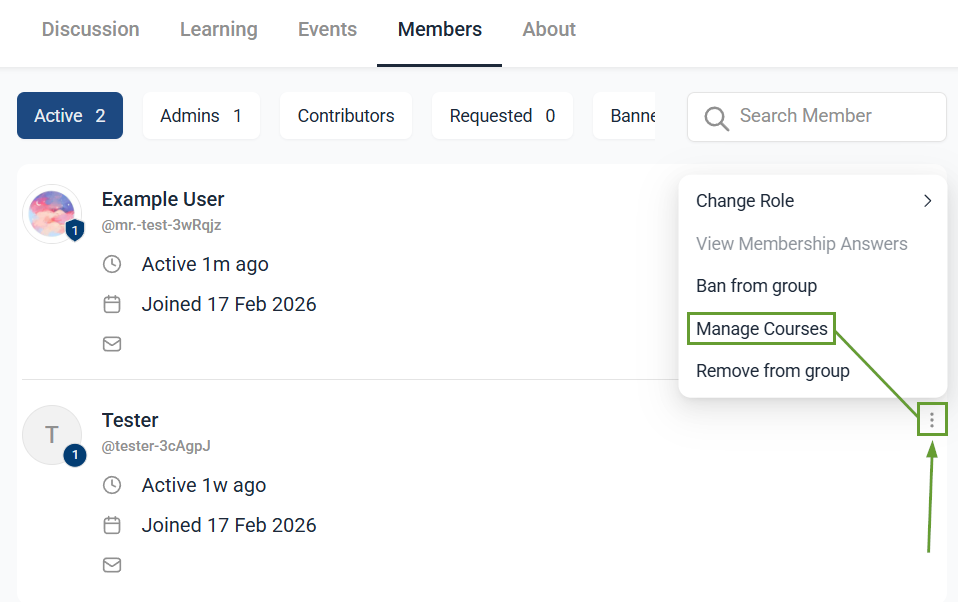
In the Members tab of your Community, click the three-dot icon next to the desired contact, then select Manage Courses.
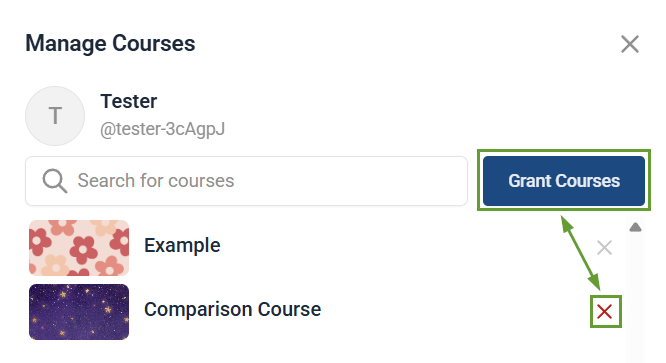
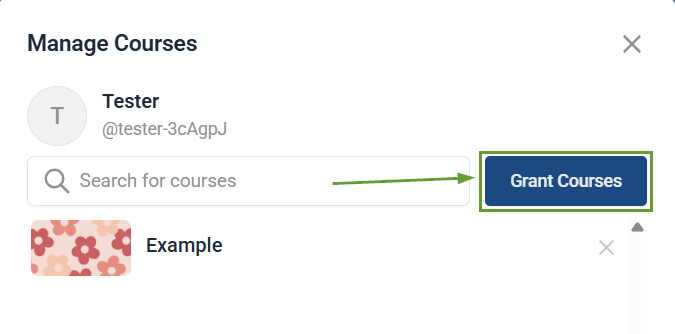
To add a course, click the Grant Courses button.
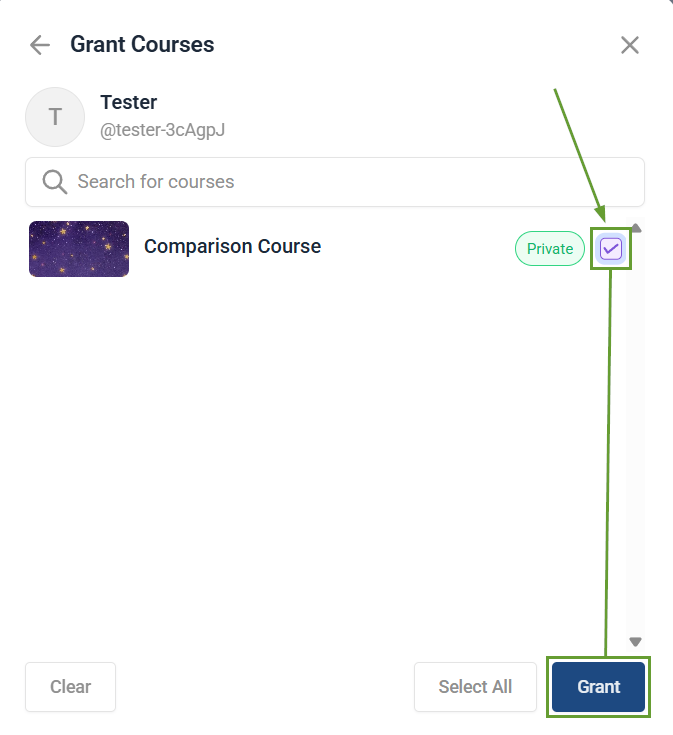
Check the box next to the desired course, then click Grant.
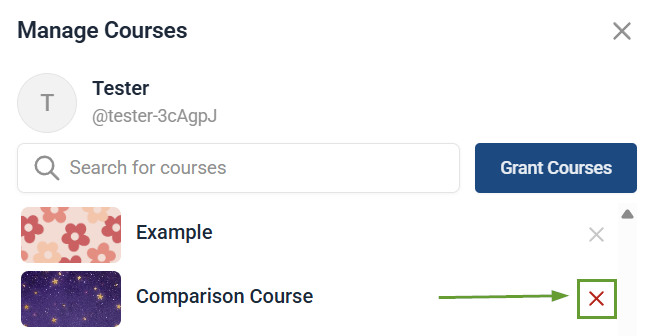
To remove a course, click the red X next to it. Access cannot be revoked if the member already meets the existing unlock criteria.
Member-Specific Course Access in Communities gives you full control over access, making it easier to reward members, onboard users faster, and create truly exclusive learning experiences. We hope you enjoy it.
