Stay Up To Date
We believe in keeping you in the loop with all the latest happenings in our courses and system. On this page, you'll find a comprehensive log of all the exciting changes, improvements, and additions we make to our courses and system. Whether it's a new feature, a course enhancement, or a system update, we've got you covered. Bookmark this page and check back regularly. We're committed to ensuring that your learning experience remains exceptional and that you have all the information you need to succeed.

New Features

New Updates

Resources & Tools

Important Updates
Here are some of the most recent updates we thought would be helpful to take note of
New Feature: Collect Card Details in Documents & Contracts
Documents & Contracts create the perfect event to solidify customer relationships. Even though using this formal agreement as the payment collection point is logical, a direct payment option was missing. We’ve added the Card Details element to allow you to request payment information upon signing. Let’s learn how to use it!
⭐️ How To Collect Card Details in Documents & Contracts?
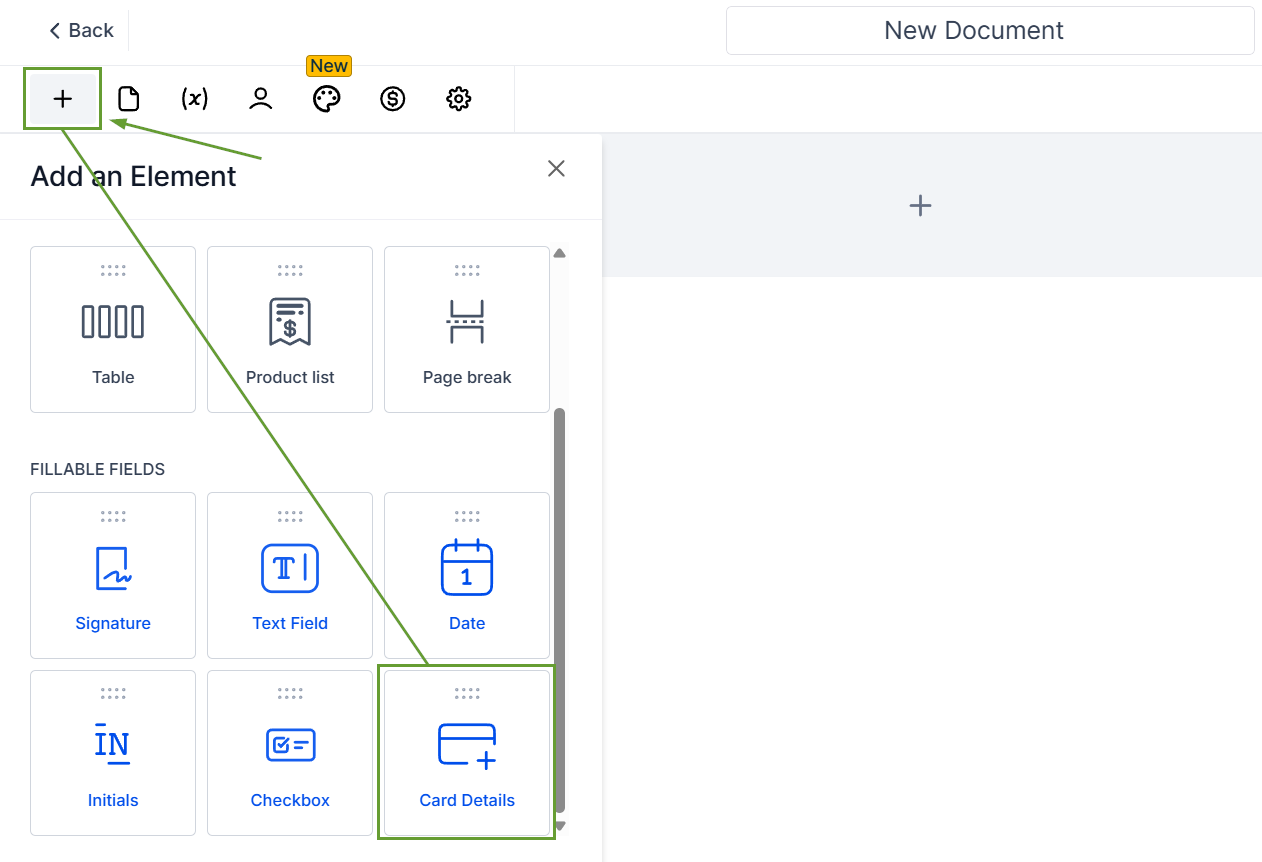
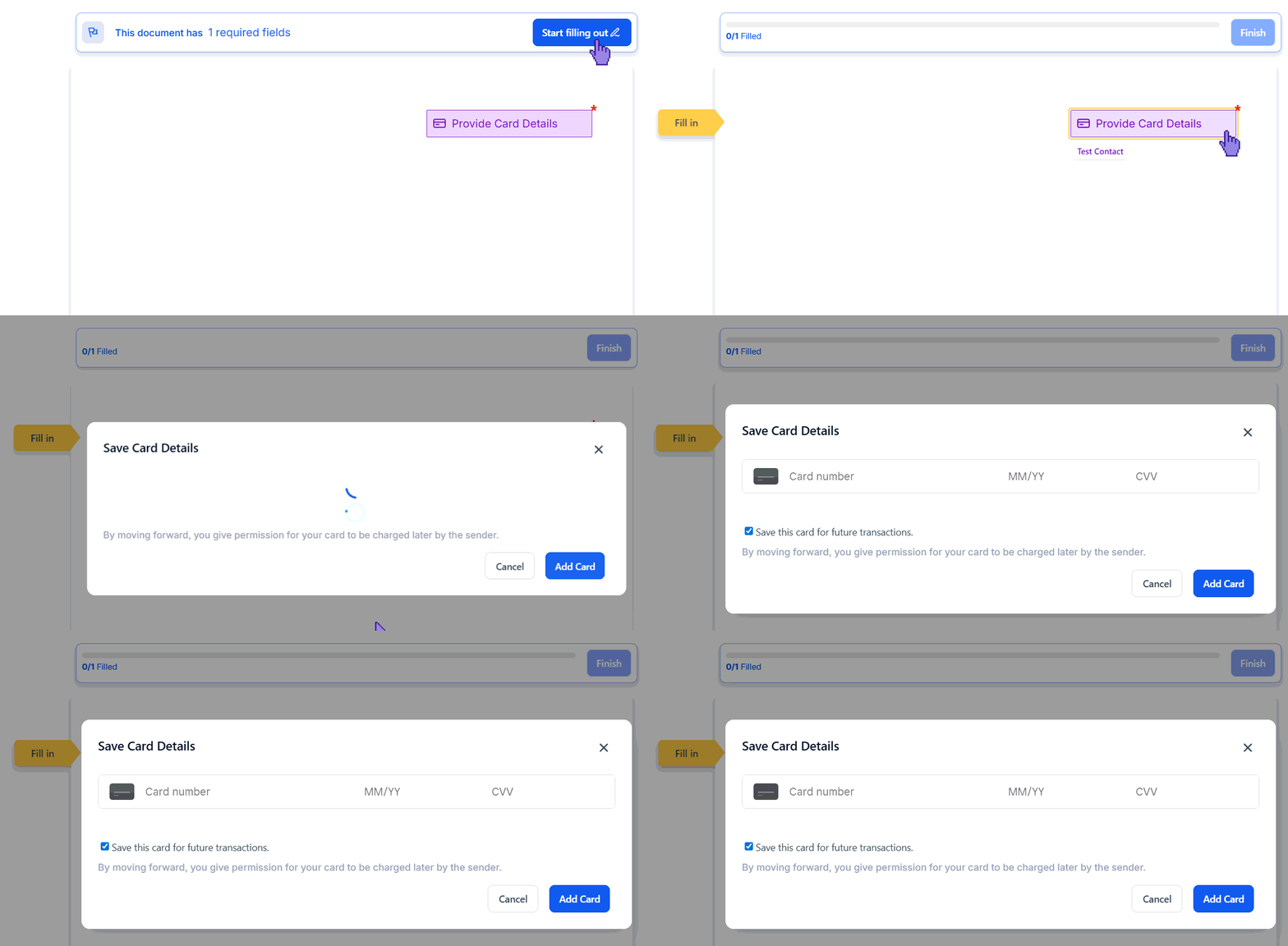
Open the document builder, click “+ Add Element,” and drag the “Card Details” field into your document.
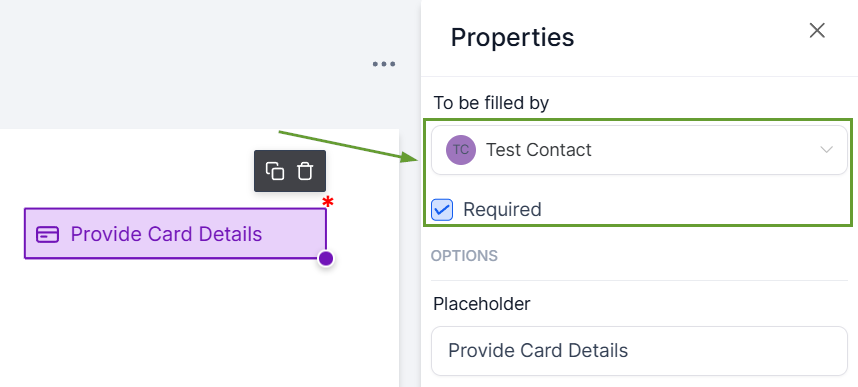
Assign the field to a signer and mark it as required.
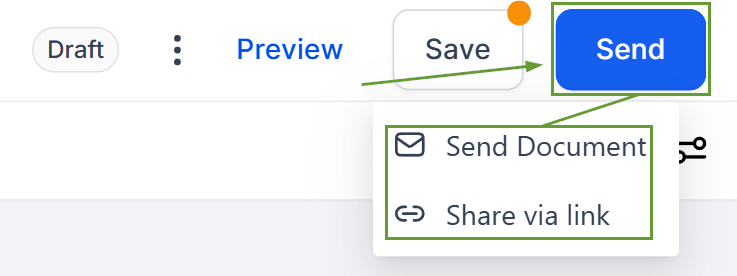
Send the document to the signer.
Once sent, when the signer clicks the field, a pop-up window will appear so they can fill in their information and save it for future payments.
⭐️Why Is This Feature Beneficial To Your Company?
Direct Payment Collection: Easily capture payment details upfront during document signing, eliminate follow-ups, and reduce payment drop-offs.
Information Retention: The card gets securely saved as soon as the user selects add card and can be used later for payments, laying the foundation for auto-pay and subscriptions.
Minimized Customer Friction: Remove the extra step of collecting payments via an invoice or payment link, leading to more satisfied customers thanks to the straightforward process.
With this element, signers can securely add their card while filling out the document, and the card gets saved for future payments, giving them a sense of security while streamlining the process. We hope you enjoy it!
