Stay Up To Date
We believe in keeping you in the loop with all the latest happenings in our courses and system. On this page, you'll find a comprehensive log of all the exciting changes, improvements, and additions we make to our courses and system. Whether it's a new feature, a course enhancement, or a system update, we've got you covered. Bookmark this page and check back regularly. We're committed to ensuring that your learning experience remains exceptional and that you have all the information you need to succeed.

New Features

New Updates

Resources & Tools

Important Updates
Here are some of the most recent updates we thought would be helpful to take note of
New Feature: Client Portal File Uploaded Trigger
The Client Portal Shared Documents experience allows you to manage files more efficiently, keeping them organized and connected. Now you can trigger workflows when a contact uploads a file through this experience for improved management. Let’s learn how to use it!
⭐️ How To Use The Client Portal File Uploaded Trigger?
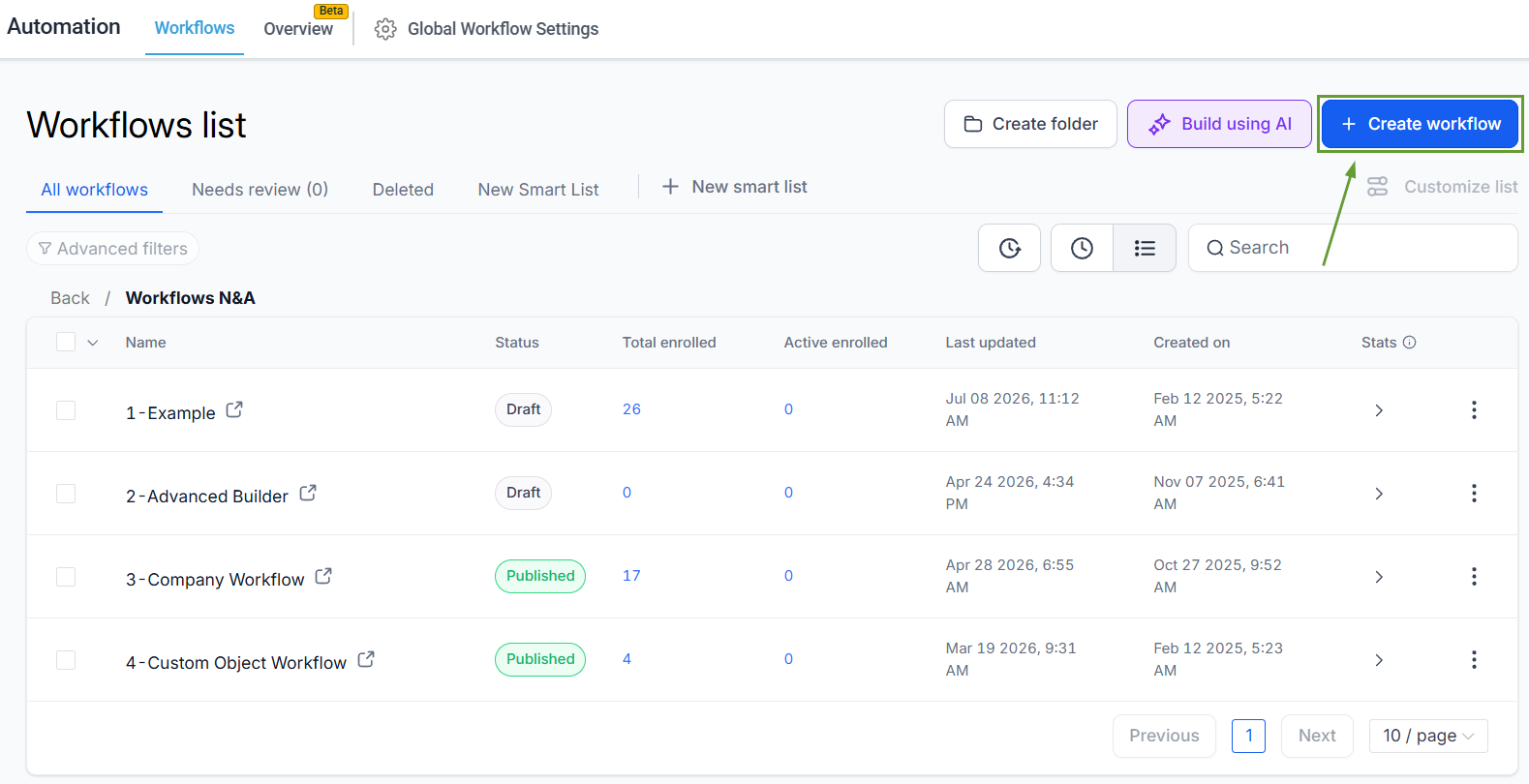
Navigate to the Workflows tab inside the Automation section and create a new workflow.
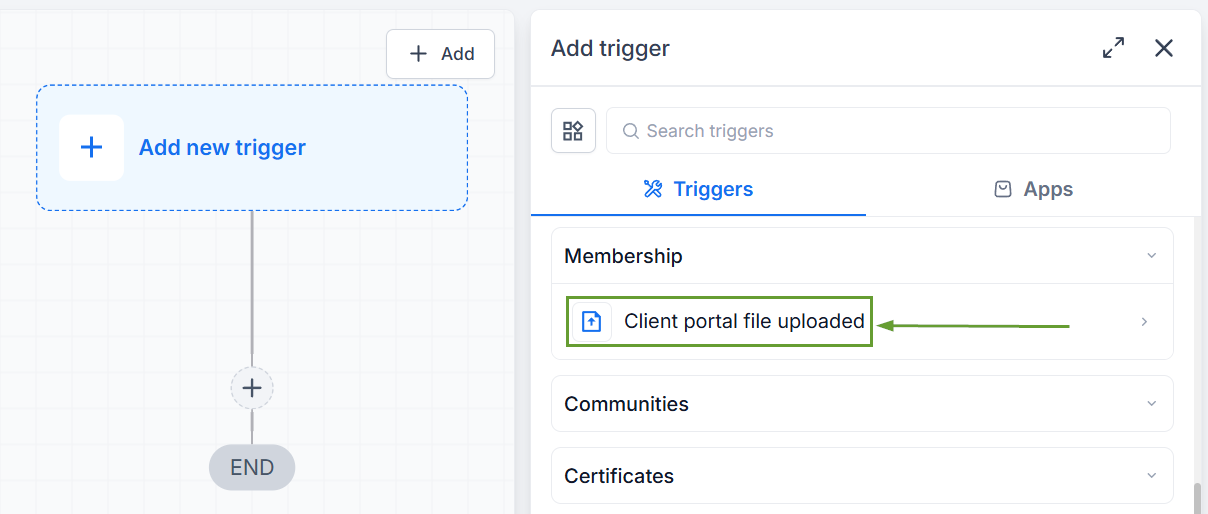
Add the trigger Client Portal File Uploaded.
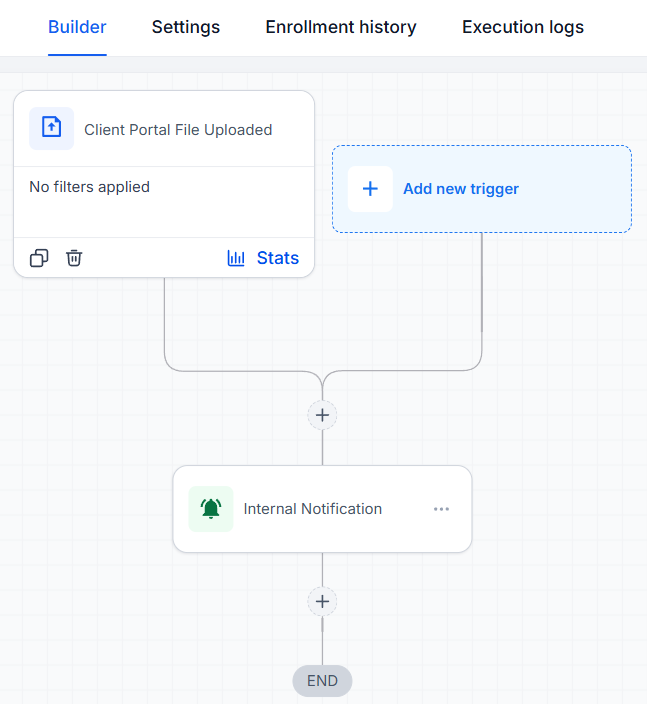
Configure the workflow actions as relevant and publish the workflow.
⭐️ How To Upload A File As A Client Portal User?
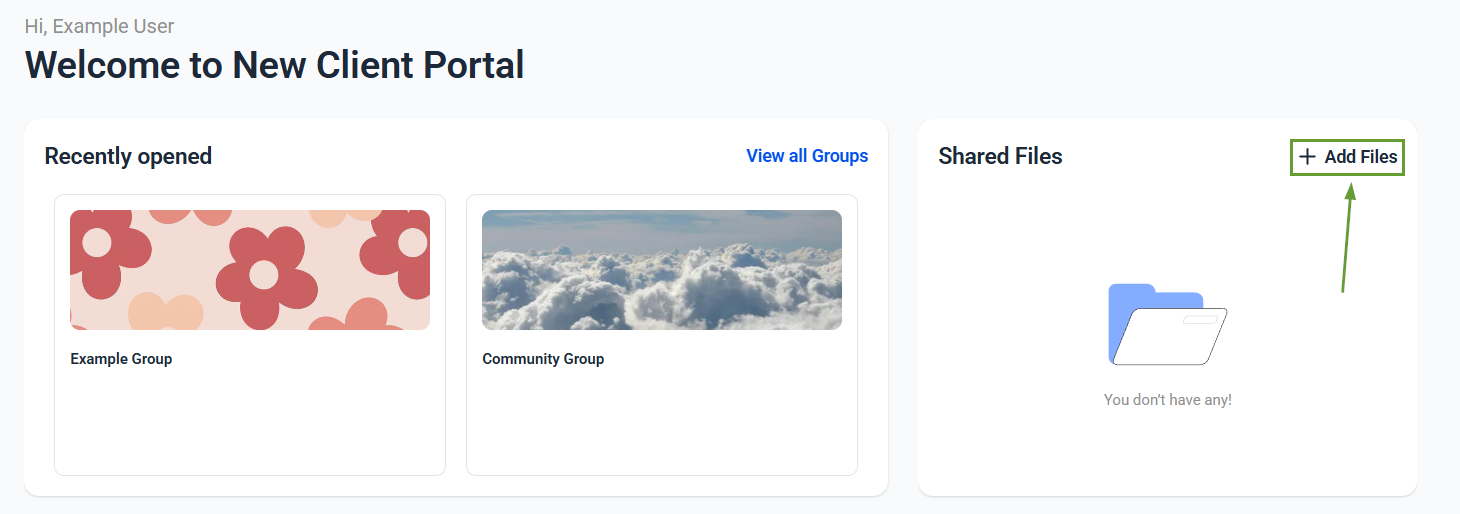
Navigate to the Shared Documents section and click + Add Files.
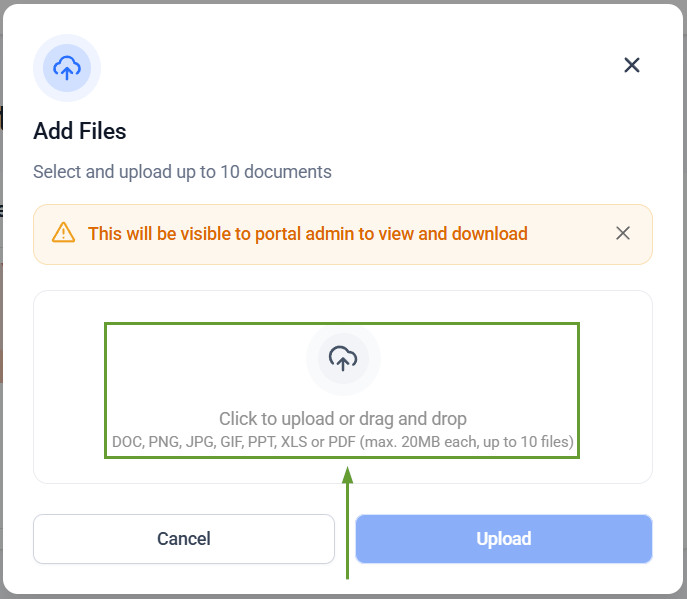
Upload a single file or multiple files.
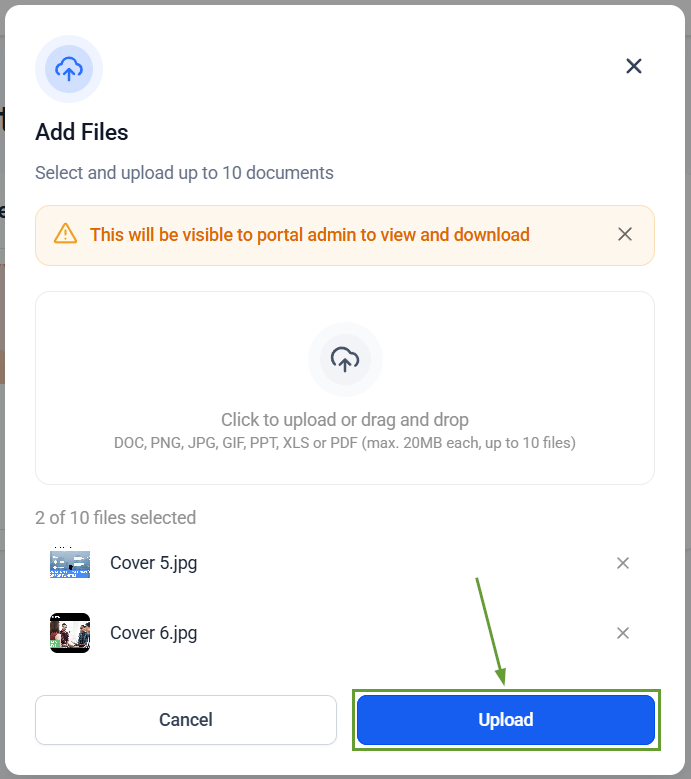
Click Upload to submit the files.
This feature closes that automation gap by enabling you to notify team members and start onboarding and approval processes. Helping you ensure no important uploads are missed. We hope you enjoy it!
