Stay Up To Date
We believe in keeping you in the loop with all the latest happenings in our courses and system. On this page, you'll find a comprehensive log of all the exciting changes, improvements, and additions we make to our courses and system. Whether it's a new feature, a course enhancement, or a system update, we've got you covered. Bookmark this page and check back regularly. We're committed to ensuring that your learning experience remains exceptional and that you have all the information you need to succeed.

New Features

New Updates

Resources & Tools

Important Updates
Here are some of the most recent updates we thought would be helpful to take note of
New Feature: Chat Widget Compliance Notice & Consent
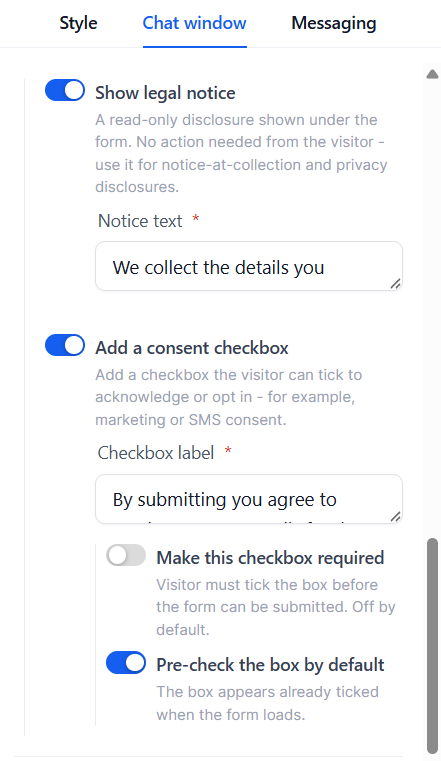
Legal disclosures and explicit marketing consent don't always serve the same purpose, so we’ve upgraded the previous all-in-one HIPAA compliance setting to a new Compliance Notice & Consent section, giving you greater control over how legal notices and visitor consent are handled. Let’s learn how to use it!
⭐️ How To Use The Chat Widget Compliance Notice & Consent Tab?
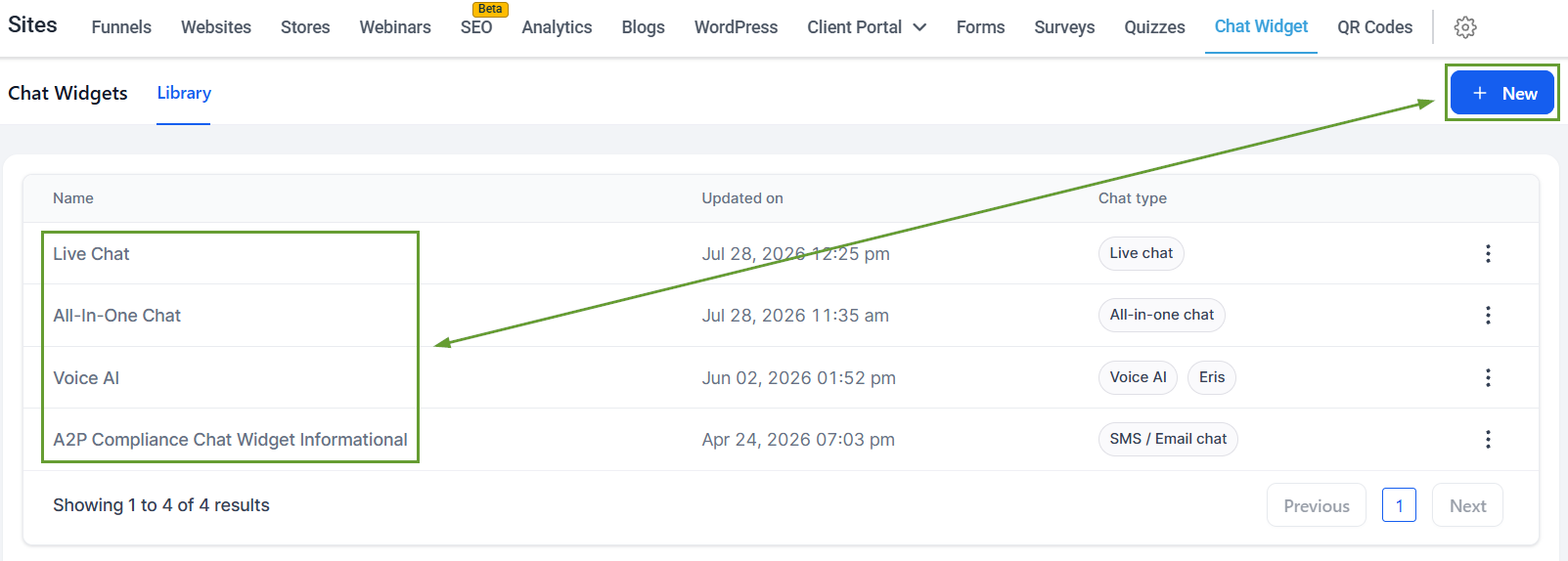
Head to the Chat Widget tab inside the Sites section and create or edit a widget.
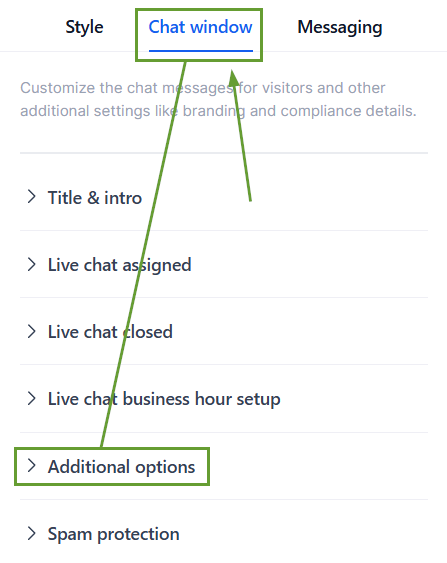
Switch to the Chat Window Configurations and open Additional Options.
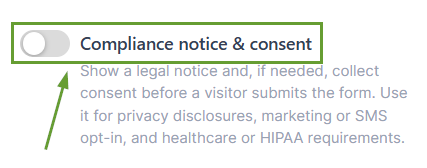
Enable the Compliance notice & consent option.
Configure your legal notice, consent checkbox, required/optional behavior, and pre-checked state. The live preview updates as you configure the experience.
⭐️Why Is This Feature Beneficial To Your Company?
Business Needs Consideration: Add a consent checkbox with custom wording for explicit opt-ins such as SMS or email marketing consent, and manage whether it is required or optional according to your needs.
Improved Consent Management: Show clear validation when required consent is missing, with a “Please tick this box to continue.” message.
Simplified Record Keeping: Track consent in Activity details, including whether consent was given, whether it was required, and the exact consent text shown to the visitor.
Now, you can independently configure disclosures and consent, easily creating the right experience for different compliance requirements while maintaining a clear record of what each lead agreed to. We hope you enjoy it!
