Stay Up To Date
We believe in keeping you in the loop with all the latest happenings in our courses and system. On this page, you'll find a comprehensive log of all the exciting changes, improvements, and additions we make to our courses and system. Whether it's a new feature, a course enhancement, or a system update, we've got you covered. Bookmark this page and check back regularly. We're committed to ensuring that your learning experience remains exceptional and that you have all the information you need to succeed.

New Features

New Updates

Resources & Tools

Important Updates
Here are some of the most recent updates we thought would be helpful to take note of

New Feature: Calendar AI
We’re rolling out Calendar AI to make it easier for new users to go from “I need a calendar” to having a fully set calendar that fits their needs by simply answering the AI agent's questions. Let’s learn how to use it!
⭐️ How To Use The Calendar AI?
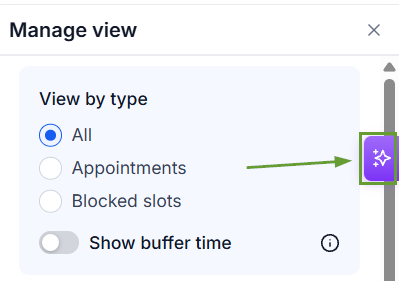
Head to the Calendars tab and click the purple AI icon.
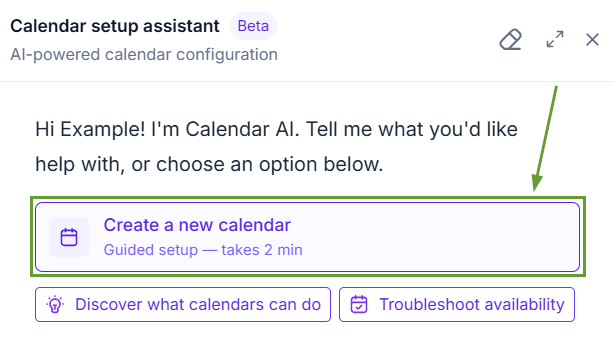
Click the “Create a new calendar” option.
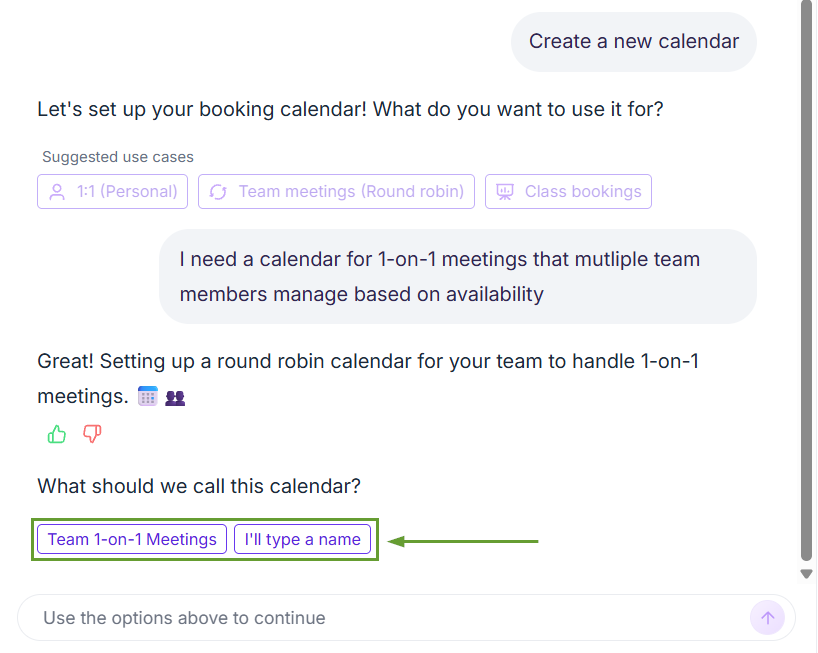
Follow the calendar prompts and give the AI what you need so it can create your calendar.
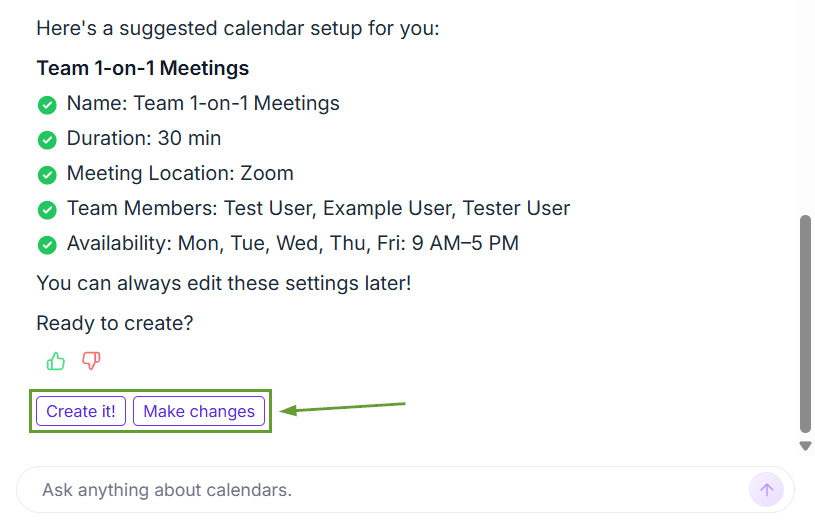
Review the calendar, then click “Create it” to create a meeting link or “Make changes” if you need to correct a few details.
⭐️Why Is This Feature Beneficial To Your Company?
Lowered Entry Point: Prioritize your needs during set-up, creating prebuilt calendars that can be changed with guided prompts and simple responses.
Intelligent Time Blocking: Provide your availability, and the AI Agent will do the rest, ensuring no overlap while providing intuitive selection.
Reduced Manual Work: AI handles back-and-forth scheduling coordination, updates availability in real time, triggers post-booking workflows, and syncs bidirectionally to prevent double-booking.
You can describe what you need, and Calendar AI recommends and creates the appropriate calendar, making the process more accessible to beginners. We hope you enjoy it!
