Stay Up To Date
We believe in keeping you in the loop with all the latest happenings in our courses and system. On this page, you'll find a comprehensive log of all the exciting changes, improvements, and additions we make to our courses and system. Whether it's a new feature, a course enhancement, or a system update, we've got you covered. Bookmark this page and check back regularly. We're committed to ensuring that your learning experience remains exceptional and that you have all the information you need to succeed.

New Features

New Updates

Resources & Tools

Important Updates
Here are some of the most recent updates we thought would be helpful to take note of
New Feature: Bulk Import Custom Objects
Managing multiple records for Custom Objects manually is repetitive and can be error-prone. To help you easily manage these tasks, you can now import Custom Object records in bulk with the same create and update flow you’re used to for Contacts and Opportunities. Let's learn how to use them!
⭐️How To Bulk Import Custom Objects?
To create new objects or update existing ones with a CSV file, head to the Custom Objects section and click Import.

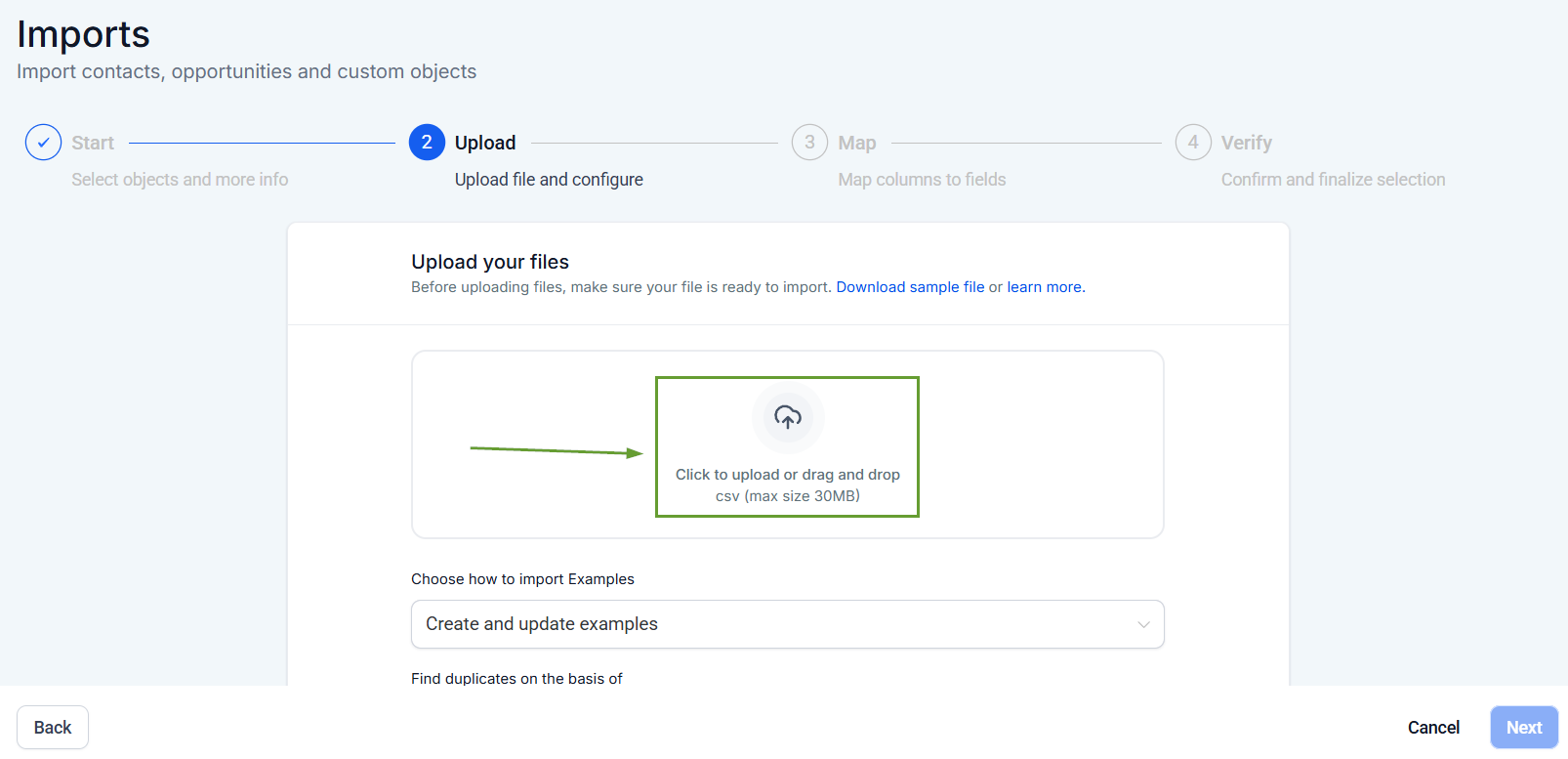
Click next, then add your CSV file.
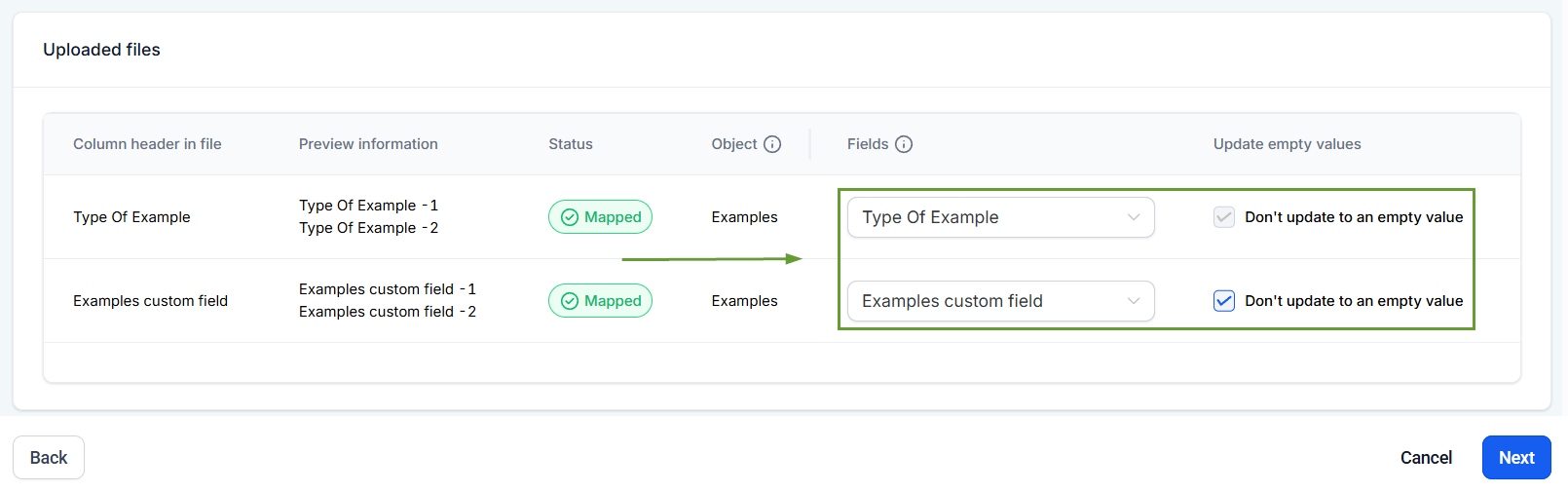
Map the information to the corresponding fields inside the system, and if updating, select whether blank cells overwrite existing values, then click next.
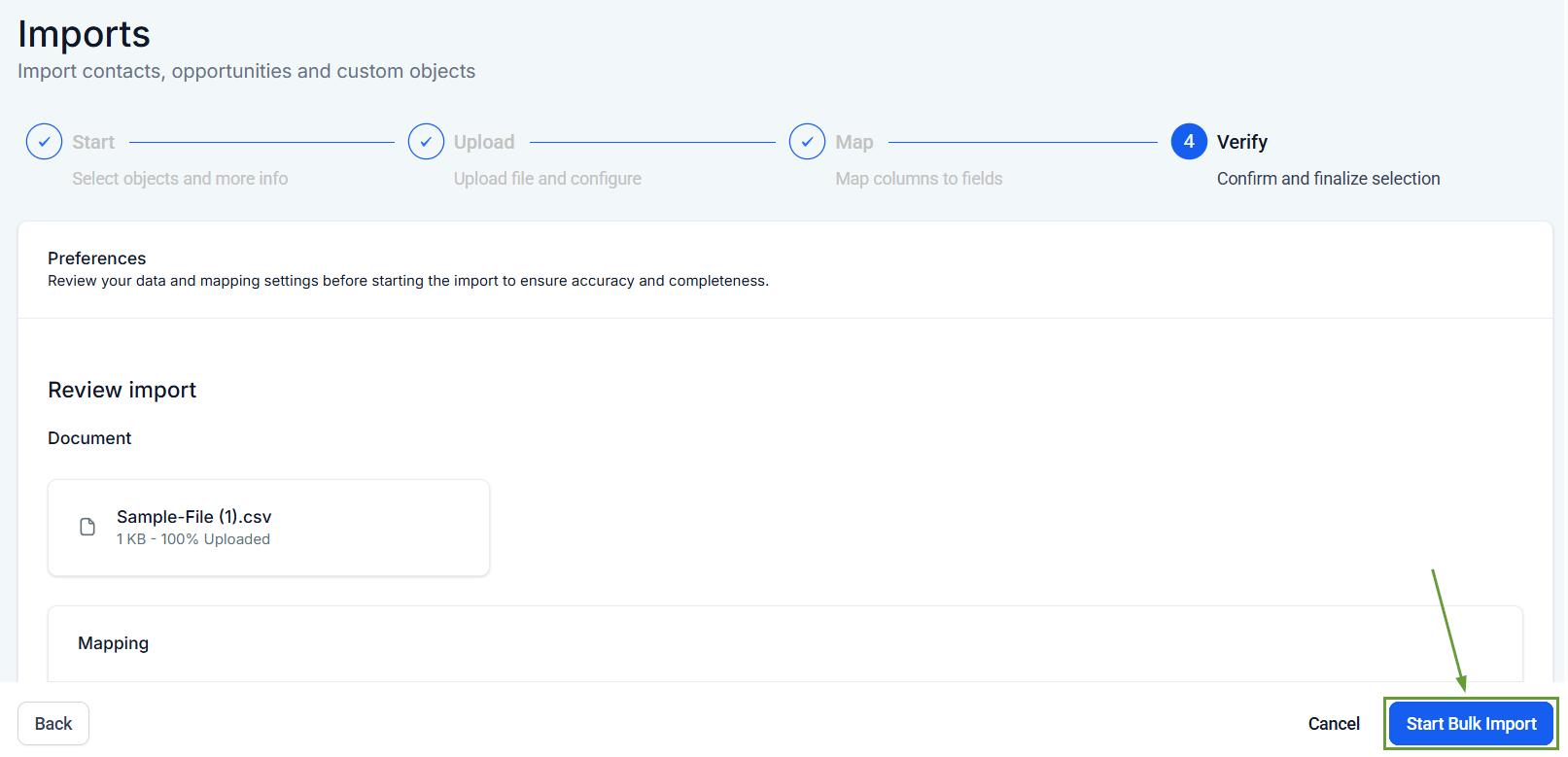
Verify your mapping, then click Start Bulk Import.
⭐️Why Is This Feature Beneficial To Your Company?
Improved Efficiency: The smooth experience speeds up data migrations by using a standardized CSV file that you might be familiar with.
Seamless Updates: Improves data accuracy by handling duplicates using your object’s unique fields, eliminating the need for manual input.
Simplified Management: Track imports in Bulk Actions, including success and error stats, helping you keep on top of your progress.
Using this method, you can ensure efficiency when managing Custom Object records, keeping things quick and neat even when information loads are big. We hope you enjoy it!
