Stay Up To Date
We believe in keeping you in the loop with all the latest happenings in our courses and system. On this page, you'll find a comprehensive log of all the exciting changes, improvements, and additions we make to our courses and system. Whether it's a new feature, a course enhancement, or a system update, we've got you covered. Bookmark this page and check back regularly. We're committed to ensuring that your learning experience remains exceptional and that you have all the information you need to succeed.

New Features

New Updates

Resources & Tools

Important Updates
Here are some of the most recent updates we thought would be helpful to take note of
New Feature: Appointments in the Client Portal
Clients can now book, view, and manage appointments directly from the Client Portal, giving them one place to manage their schedule without switching to emails, booking links, or other tools. Let’s learn how to use it!
⭐️ How To Book An Appointment in the Client Portal?
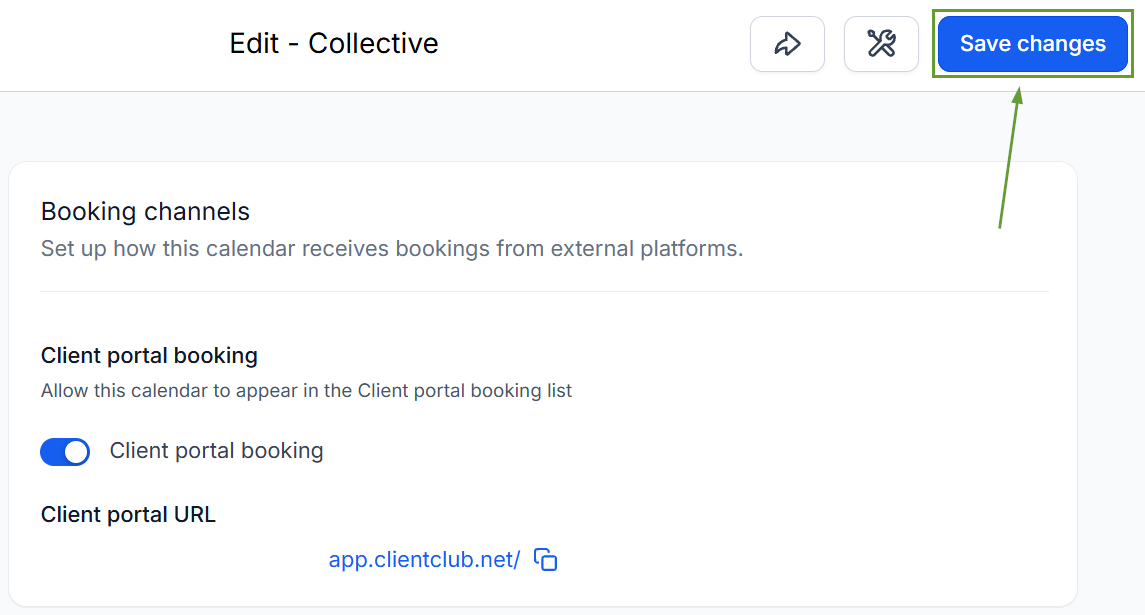
Head to the Settings tab in the Calendars section and create or edit a calendar.
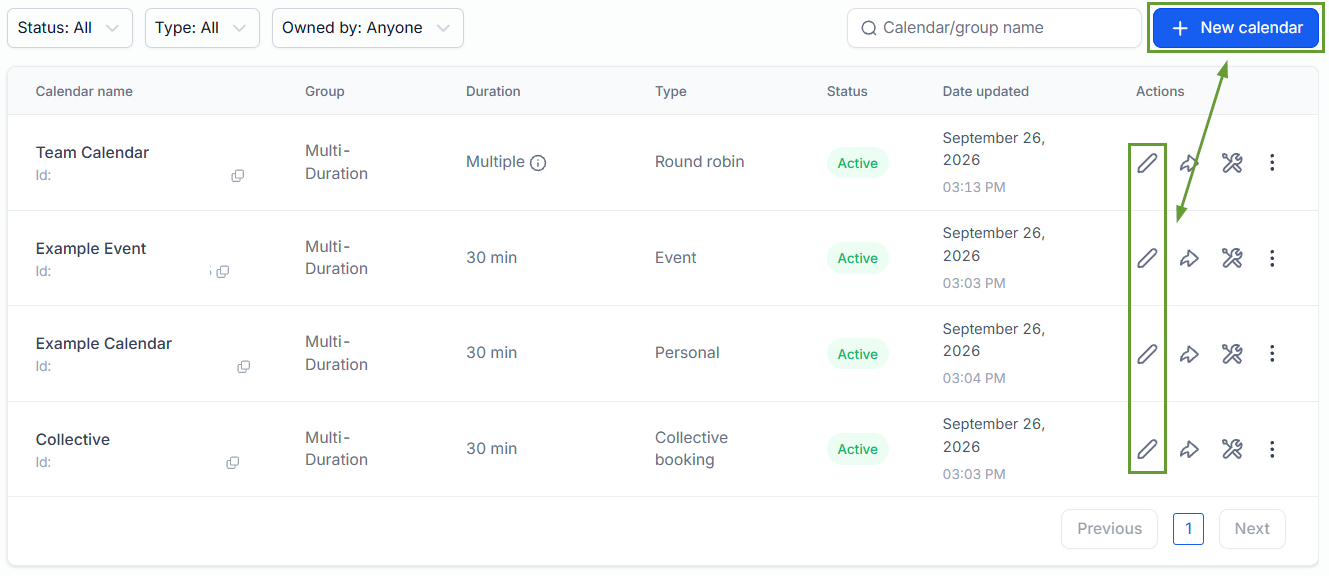
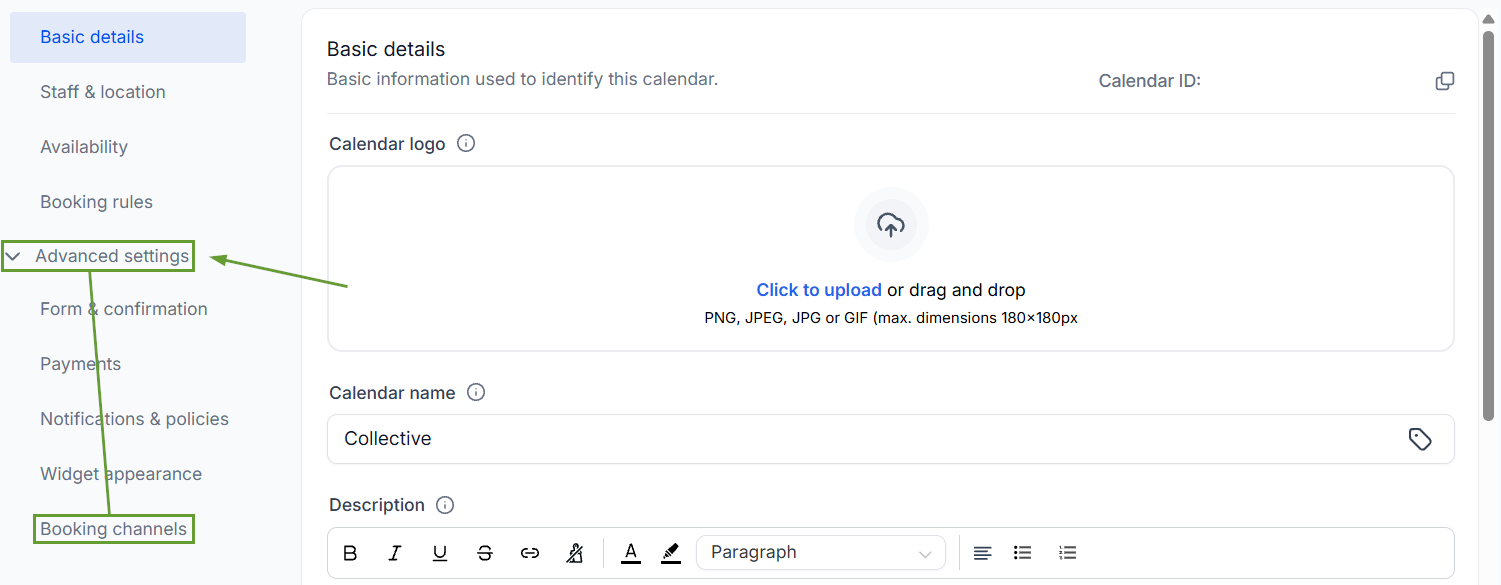
Open the advanced settings and head to the Booking channels tab.
Toggle the “Client portal booking” option on.
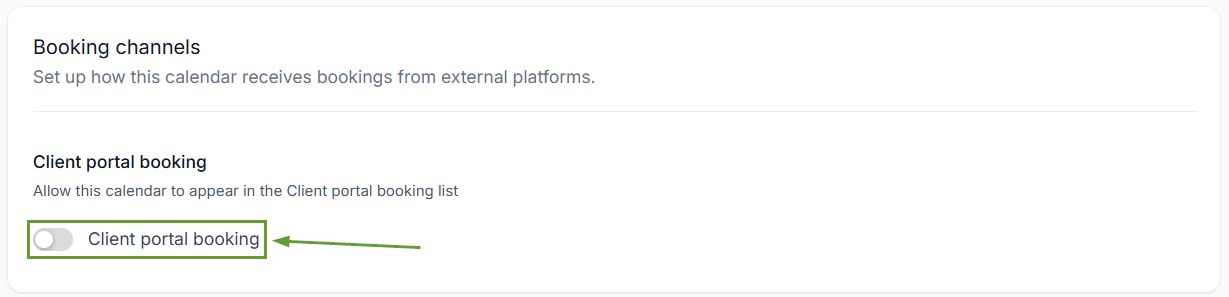
Save your changes, and you’re done.
⭐️Why Is This Feature Beneficial To Your Company?
Centralized Appointment View: Clients can see their appointments in the Client Portal with “today,” “upcoming,” and “past” views, as well as appointment details including date, time, and status.
Simplified New Booking: Clients can book appointments without leaving the portal, with autofill that makes the booking experience faster, including calendar selection, and reduces repetitive data entry.
Easy Rescheduling and Cancelation: Eligible appointments can be rescheduled or cancelled directly from the Client Portal, allowing clients to manage schedule changes without contacting the business.
You stay in control while making appointments more accessible to customers, reducing the need to manually handle booking, rescheduling, and cancellation requests without making appointments indiscriminately accessible. We hope you enjoy it!
