Stay Up To Date
We believe in keeping you in the loop with all the latest happenings in our courses and system. On this page, you'll find a comprehensive log of all the exciting changes, improvements, and additions we make to our courses and system. Whether it's a new feature, a course enhancement, or a system update, we've got you covered. Bookmark this page and check back regularly. We're committed to ensuring that your learning experience remains exceptional and that you have all the information you need to succeed.

New Features

New Updates

Resources & Tools

Important Updates
Here are some of the most recent updates we thought would be helpful to take note of
New Feature: Add E-Commerce Stores Directly to Funnels
Funnels can now include a complete ecommerce store experience, letting you combine funnel steps with product browsing, cart, checkout, and order confirmation into a single flow. Let’s learn how to add them!
⭐️ How To Add E-Commerce Stores To A Funnel?
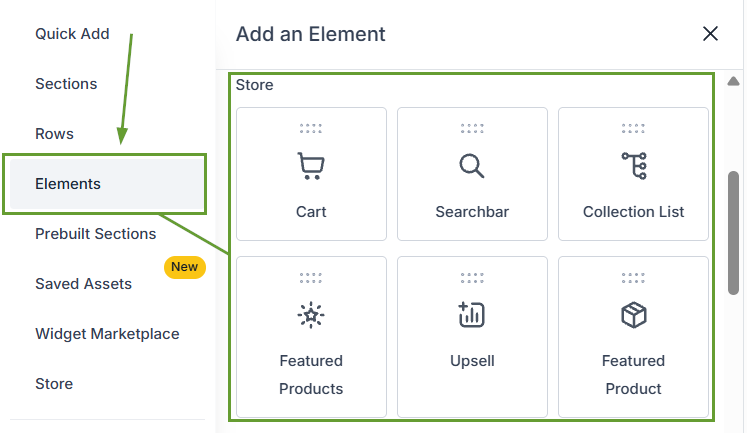
Open a Funnel and add a Store from the Store section, or add a Store element directly to any Funnel step.
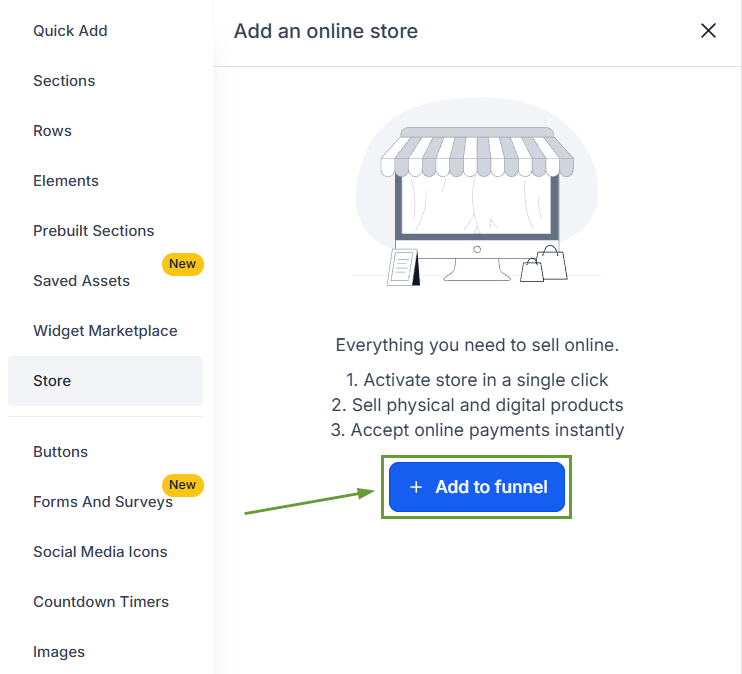
Select a theme and configure the store setup when prompted.

Use the Store Products tab to manage product visibility and priority.
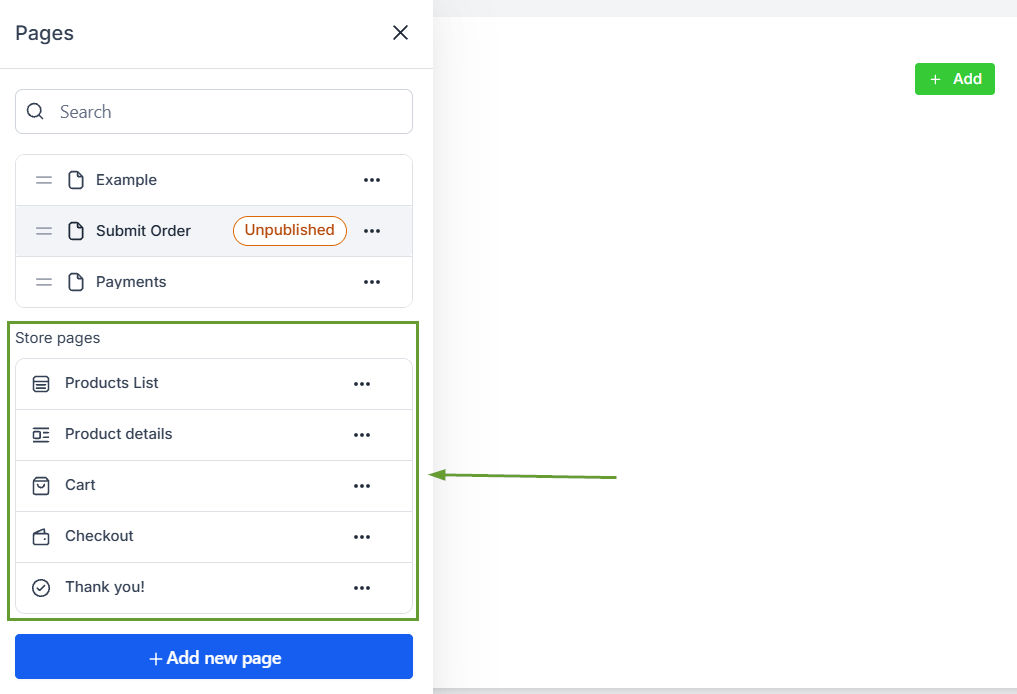
Customize the generated store pages and publish your Funnel.
⭐️Why Is This Feature Beneficial To Your Company?
Eliminates Choice Overload: The funnel creates a focused experience for customers, smoothly introducing each part of your offer to avoid distraction.
Reduces Wasted Spend: Target specific buyers instead of sending cold traffic to a generic homepage, and add order bumps, one-click upsells, and downsells that match their interests.
Track Drop-off Points: Clear metrics show you the exact step where potential customers abandon their carts so you can fix leaks effectively.
Using a sales funnel for an e-commerce store replaces the traditional chaotic storefront with a guided path that maximizes revenue and minimizes distractions, which you can now easily do from the comfort of your CRM. We hope you enjoy it!
