Stay Up To Date
We believe in keeping you in the loop with all the latest happenings in our courses and system. On this page, you'll find a comprehensive log of all the exciting changes, improvements, and additions we make to our courses and system. Whether it's a new feature, a course enhancement, or a system update, we've got you covered. Bookmark this page and check back regularly. We're committed to ensuring that your learning experience remains exceptional and that you have all the information you need to succeed.

New Features

New Updates

Resources & Tools

Important Updates
Here are some of the most recent updates we thought would be helpful to take note of
New Feature: Accounting Sync for Invoices
You connected your accounting software and assumed everything was syncing. It wasn't. Invoices failed silently, so to fix this, we’ve added Accounting Sync to be your centralized hub for monitoring and fixing sync activity across QuickBooks, Xero, and Wave. Let’s learn how to use it!
⭐️ How To Use Accounting Sync for Invoices?
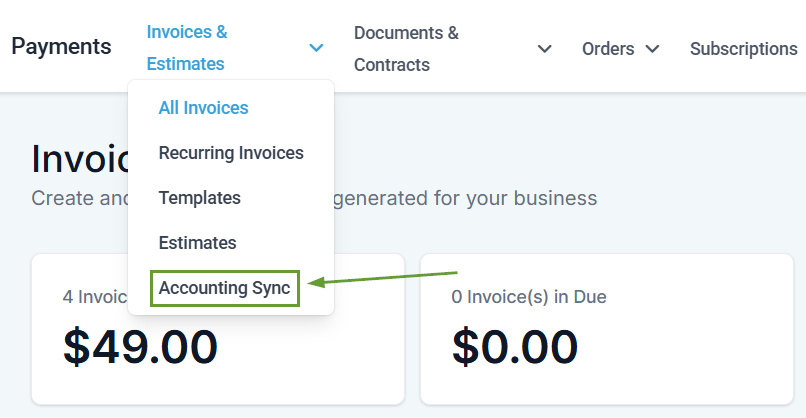
Navigate to the Invoices & Estimates tabs inside the Payments section and select Accounting Sync.
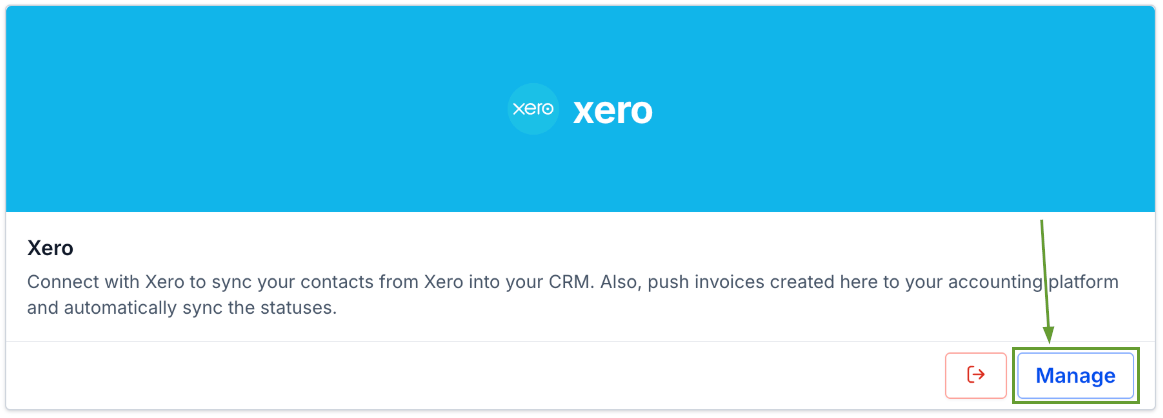
Click Manage next to your connected accounting platform.
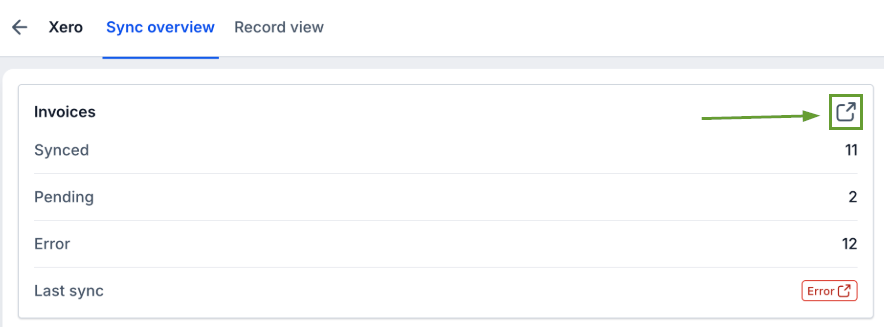
Click the expand icon on any entity to open Record View and see the status of every individual record.
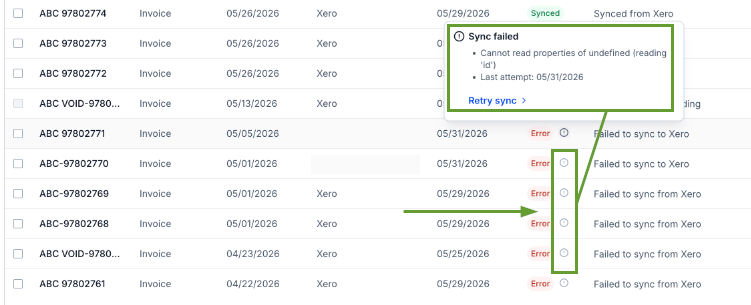
Hover over the exclamation icon on any errored record to read the failure reason and last attempt timestamp.
⭐️Why Is This Feature Beneficial To Your Company?
Stay Audit-Ready: Catch sync failures before they become accounting headaches, so you can keep customers happy.
Automated Synchronization: Stop manually cross-checking your CRM against your accounting platform, and monitor invoices, transactions, and contacts all in one place.
Fix Errors Fast: Read the failure log and retry the sync directly from the dashboard, with no support ticket needed, keeping your accounting clear.
Accounting Sync gives you a live dashboard for every connected accounting platform. See exactly how many records synced and which failed. Helping you drill into individual records, read the failure reason, and retry with one click. We hope you enjoy it!
