Stay Up To Date
We believe in keeping you in the loop with all the latest happenings in our courses and system. On this page, you'll find a comprehensive log of all the exciting changes, improvements, and additions we make to our courses and system. Whether it's a new feature, a course enhancement, or a system update, we've got you covered. Bookmark this page and check back regularly. We're committed to ensuring that your learning experience remains exceptional and that you have all the information you need to succeed.

New Features

New Updates

Resources & Tools

Important Updates
Here are some of the most recent updates we thought would be helpful to take note of
New Feature: Conditional Custom Fields for Opportunities
Opportunities contain a lot of information that doesn’t always apply to each contact. Sometimes crucial fields get overshadowed, and required fields get forgotten. To improve your operations, we’ve granted you control over which fields or folders appear based on your specific needs. Let’s learn how to customize them!
⭐️ How To Set Conditional Custom Fields for Opportunities?
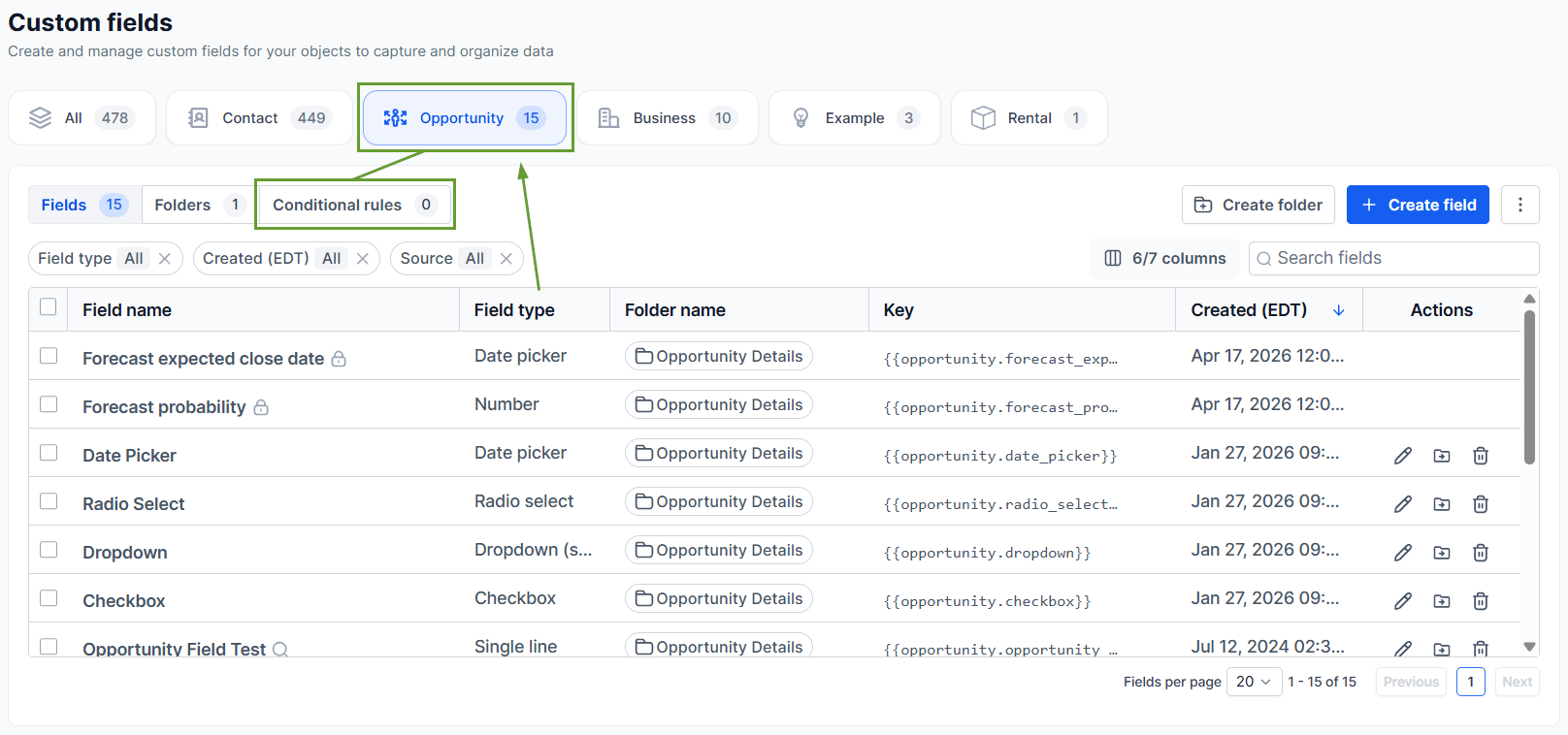
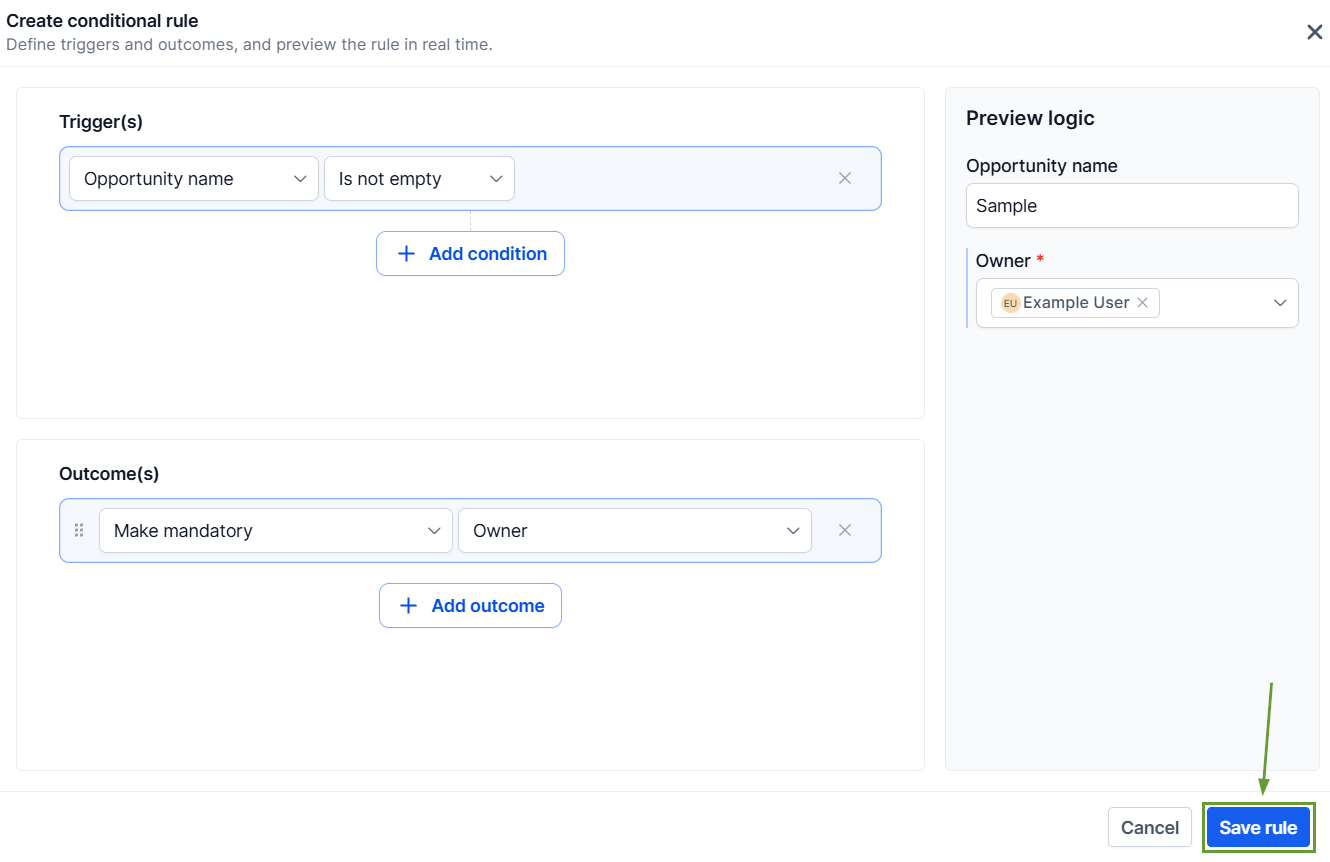
Head to the Custom Fields section in your account settings, switch to the Opportunities tab, and click Conditional Rules.
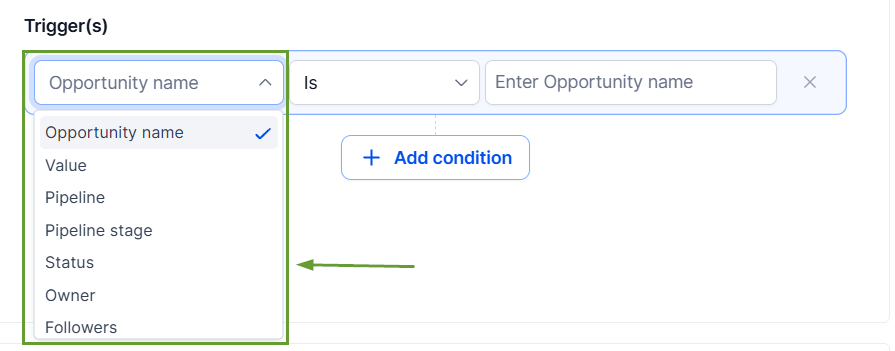
Select the field that should serve as a trigger, then configure what it should have, for example, not being empty or having a specific value.
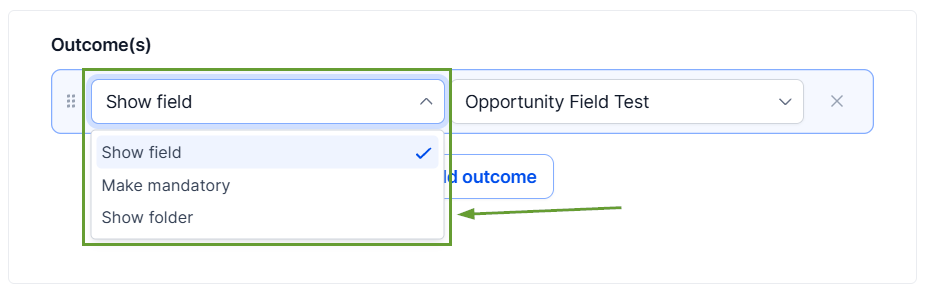
Select an outcome and the custom value you want to be affected when the conditions are met.
Preview your logic on the right-side panel and, once satisfied, click Save.
⭐️Why Is This Feature Beneficial To Your Company?
Targeted Focus: Keep opportunity forms focused on relevant information, using the logic to minimize clutter and give your team all the data they need to succeed.
Streamlined Process: Collect required details at the right stage of the sales process, making it easy to standardize data collection across pipelines and teams.
Accurate Profiles: This helps you improve reporting accuracy and consistency by preventing opportunities from being saved with missing required information.
Opportunity forms can now adapt automatically based on each deal, streamlining onboarding for prospective customers while reducing the error points your team encounters. We hope you enjoy it!
