Stay Up To Date
We believe in keeping you in the loop with all the latest happenings in our courses and system. On this page, you'll find a comprehensive log of all the exciting changes, improvements, and additions we make to our courses and system. Whether it's a new feature, a course enhancement, or a system update, we've got you covered. Bookmark this page and check back regularly. We're committed to ensuring that your learning experience remains exceptional and that you have all the information you need to succeed.

New Features

New Updates

Resources & Tools

Important Updates
Here are some of the most recent updates we thought would be helpful to take note of

New Feature: Add Product Cost Price & Margin
Keeping track of profitability is essential to maintaining a healthy business, so we’ve added an internal tool to help you define a Cost Price and Margin for every product price or variant. Let's learn how to use it!
⭐️How To Add Product Cost Price & Margin?
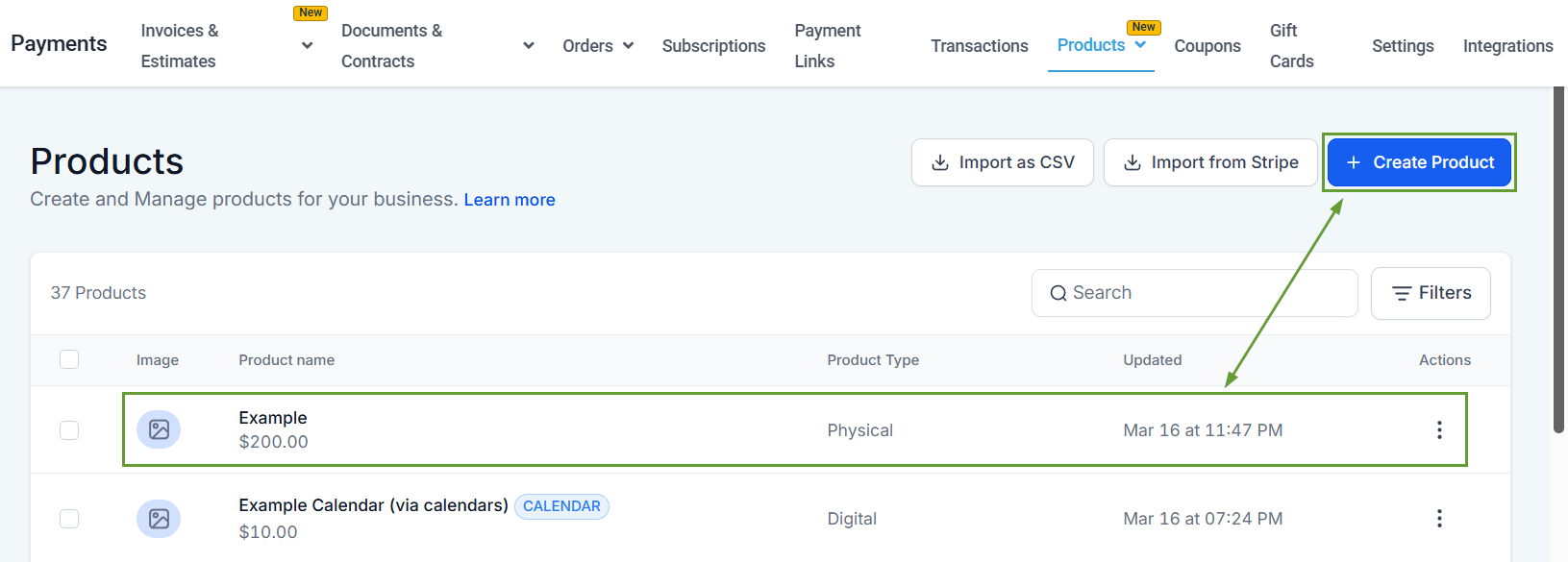
Head to the Products tab inside the Payments section and create or edit a product.
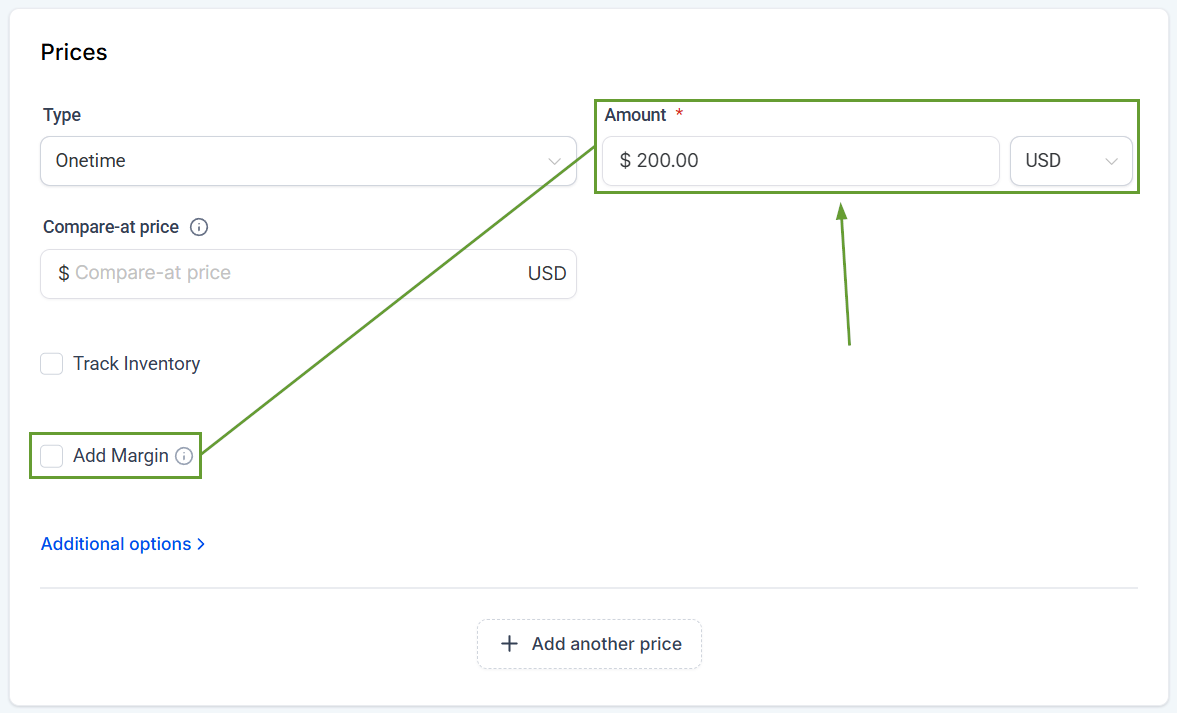
Enter the product’s price, then check the box next to Add Margin.
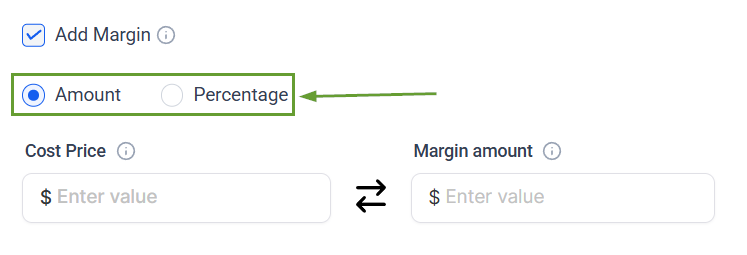
Select whether you want to calculate the margin as a net amount or as a percentage.
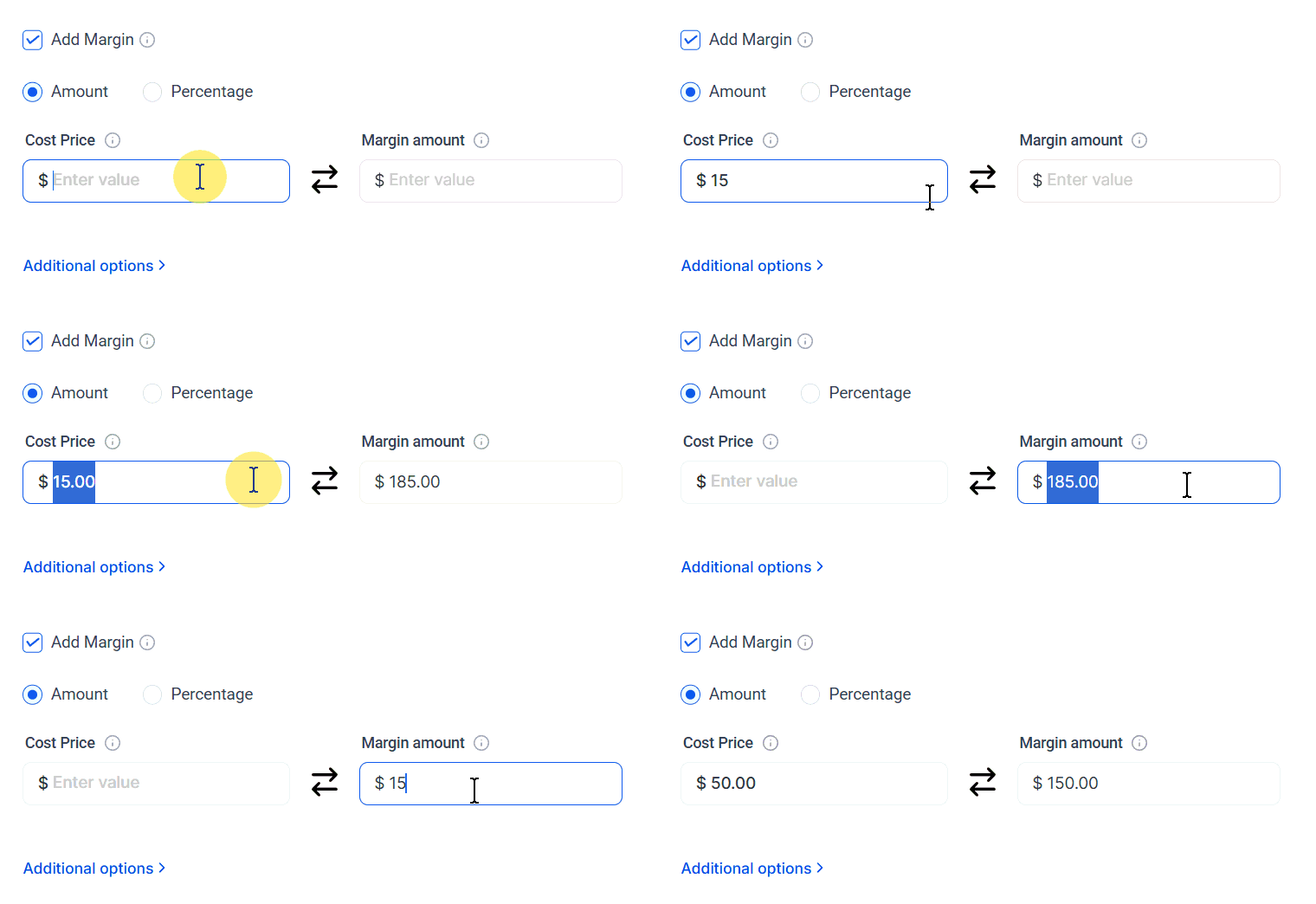
Enter the Cost Price or desired Margin, and the system will calculate the amount automatically.
⭐️Why Is This Feature Beneficial To Your Company?
Simplified Profit Monitoring: Calculate a product's profit by specifying a single value. For invoices and calendars where prices are manually overridden, the cost price is always pulled from the original product.
Accurate Cost Reporting: Entering Cost Prices that exceed the selling price is supported, showing you a negative Margin that helps you visualize the loss.
Improved Data Extraction: A new Line Item Cost Price column is now available in the Transactions CSV export for profitability analysis at the transaction level.
Once configured, cost data flows into your transaction exports, invoices, and calendars, so you always know what you're making on every sale. We hope you enjoy it!
