Stay Up To Date
We believe in keeping you in the loop with all the latest happenings in our courses and system. On this page, you'll find a comprehensive log of all the exciting changes, improvements, and additions we make to our courses and system. Whether it's a new feature, a course enhancement, or a system update, we've got you covered. Bookmark this page and check back regularly. We're committed to ensuring that your learning experience remains exceptional and that you have all the information you need to succeed.

New Features

New Updates

Resources & Tools

Important Updates
Here are some of the most recent updates we thought would be helpful to take note of
Improved Feature: Opportunities in Contact Details
With the new Contact Page’s design, we’ve taken the chance to improve access to opportunities. Giving this section better visibility, faster access, and a more intuitive layout that supports deeper customization. Let's check it out!
⭐️How Will These Changes Affect You?:
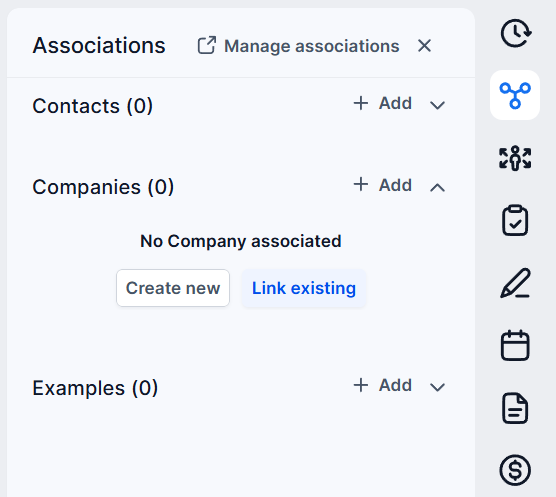
Quick Access Details Tab: Opportunities moved to the right panel as a dedicated, standalone tab positioned below Associations for improved discoverability
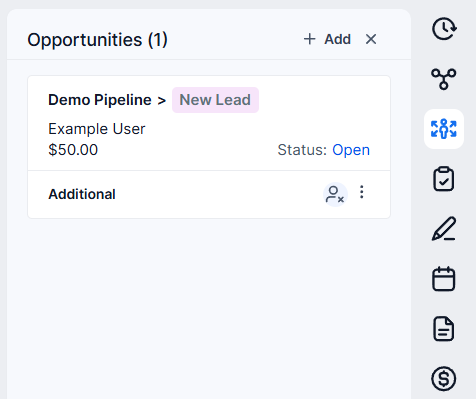
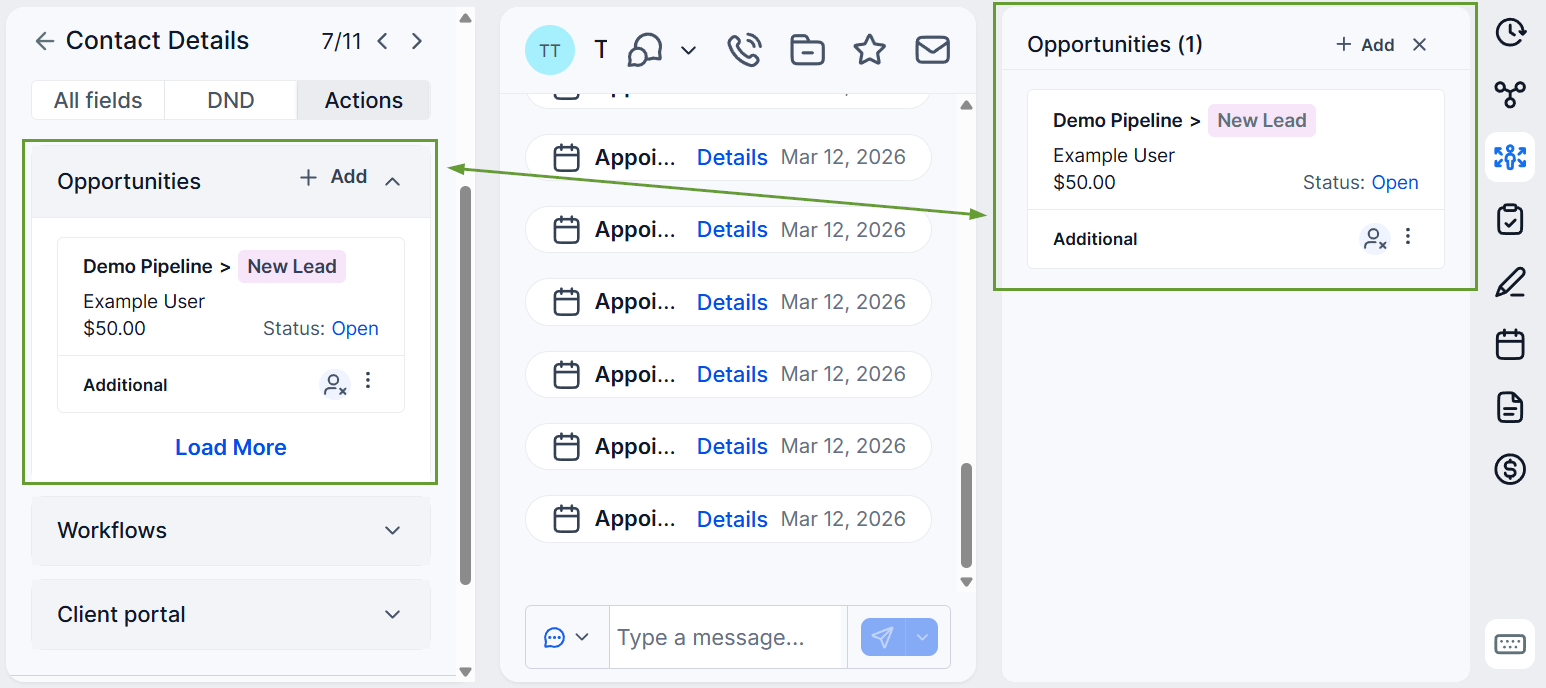
Multiple Access: Opportunities are temporarily accessible under actions and on the right panel, giving you time to adjust to the changes.
Decoupled From Associations: Opportunities are managed separately from associations, giving a clearer view without impacting data structure or functionality.
⭐️How To Manage Opportunities From Contact Details?
Let's learn how to access, view, and edit opportunities from this new tab!
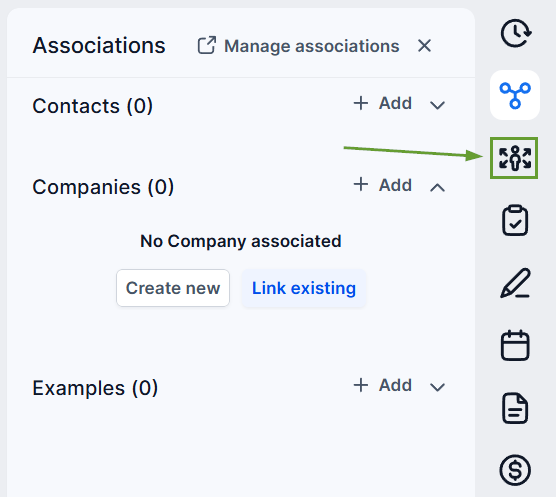
Navigate to a contact record, and on the right-hand panel, you’ll now see a dedicated opportunities tab below associations.
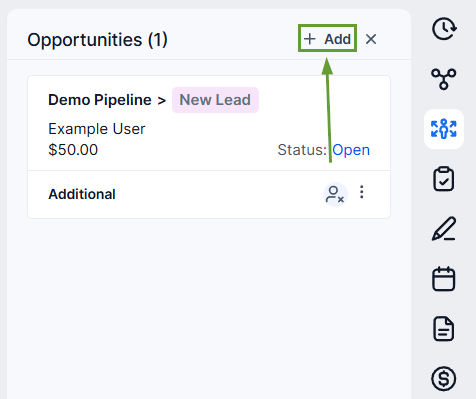
To add a new opportunity, click + Add.
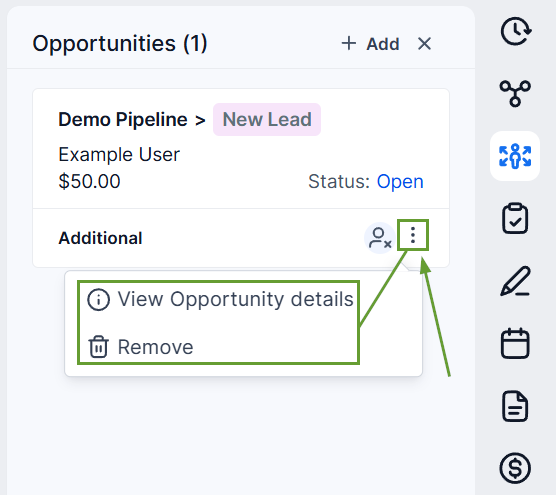
Click the three-dot icon in the bottom-right corner of an existing opportunity to edit or remove it.
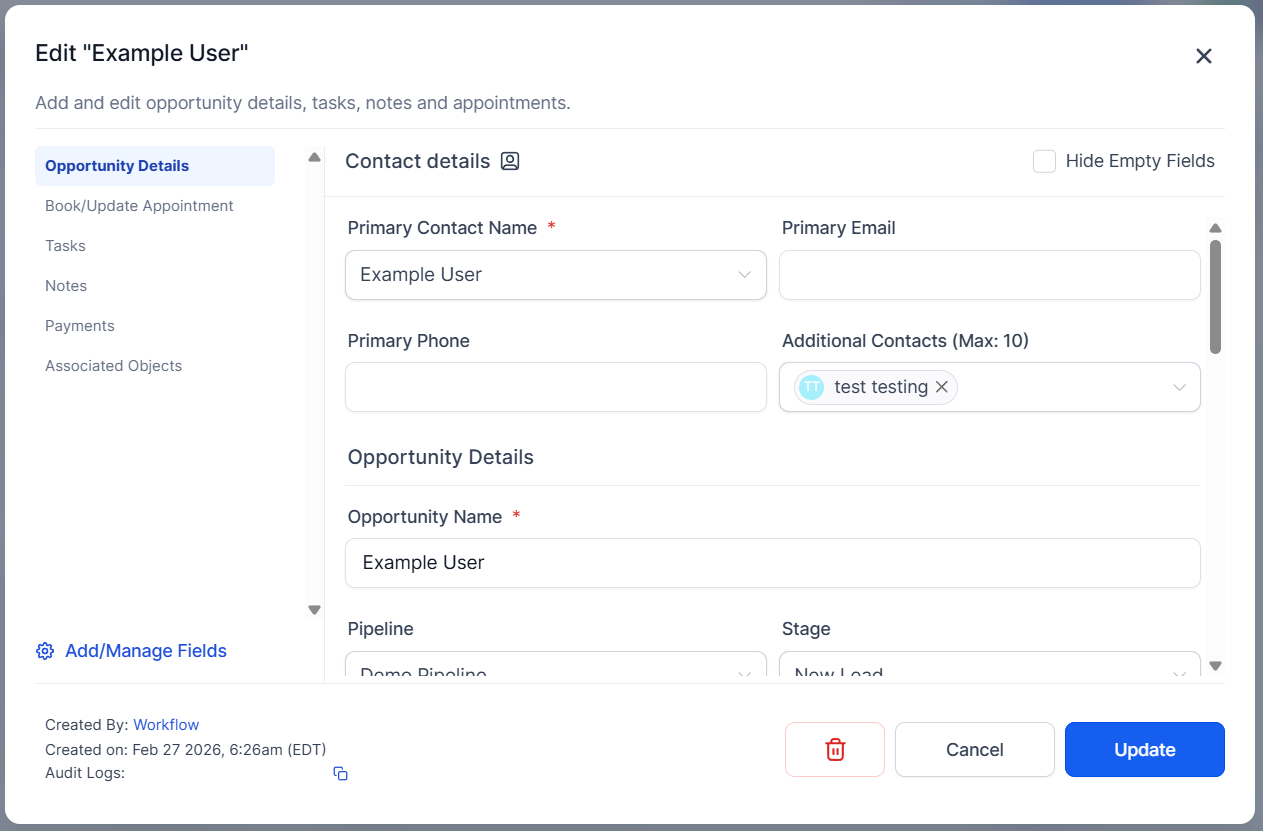
Clicking an opportunity card will also open the opportunity details for you to edit.
This update will help you easily access your opportunity details in a way that makes sense, keeping all details readily visible to improve your information management. We hope you enjoy it!
