Stay Up To Date
We believe in keeping you in the loop with all the latest happenings in our courses and system. On this page, you'll find a comprehensive log of all the exciting changes, improvements, and additions we make to our courses and system. Whether it's a new feature, a course enhancement, or a system update, we've got you covered. Bookmark this page and check back regularly. We're committed to ensuring that your learning experience remains exceptional and that you have all the information you need to succeed.

New Features

New Updates

Resources & Tools

Important Updates
Here are some of the most recent updates we thought would be helpful to take note of
New Feature: Version History For Forms & Surveys
Consider a small consulting firm using the CRM to collect client feedback through surveys. With Form and Survey Version History, the firm can confidently make changes to survey questions, review past versions for comparison, and ensure that each iteration of the survey aligns with their client engagement objectives.
Version History For Forms & Surveys: An innovative feature that automatically saves and tracks multiple versions of forms and surveys, allowing businesses to easily review changes and revert to previous versions.
⭐️ Why Does It Matter To Your Business?
Effortless Revision Tracking: Seamlessly track changes and revisions made to forms and surveys over time, enabling businesses to identify modifications, errors, or improvements and maintain accurate records of form data.
Quick Error Correction: Easily revert to previous versions of forms or surveys to rectify mistakes or restore earlier iterations, minimizing the risk of data discrepancies and ensuring data integrity across all form submissions.
Efficient Version Correction: Accelerate the correction process by swiftly accessing and reverting to specific versions of forms or surveys, ensuring rapid resolution of errors and maintaining consistency in data management.
⭐️ How To Use Version History For Forms & Surveys:
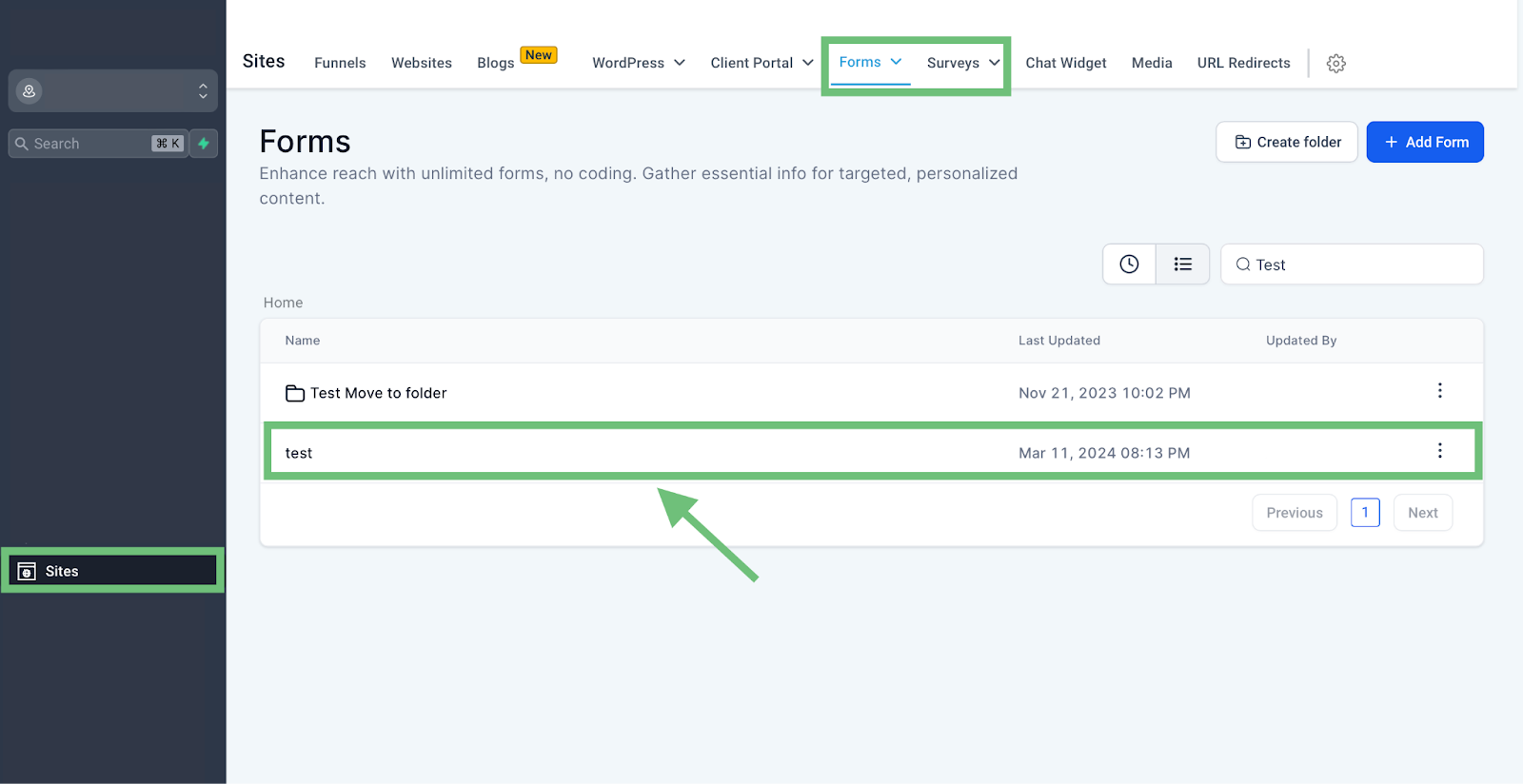
Access the Sites Tab from the left navigation menu then click on Forms/Surveys from the upper navigation menu and then click on form/surveys.
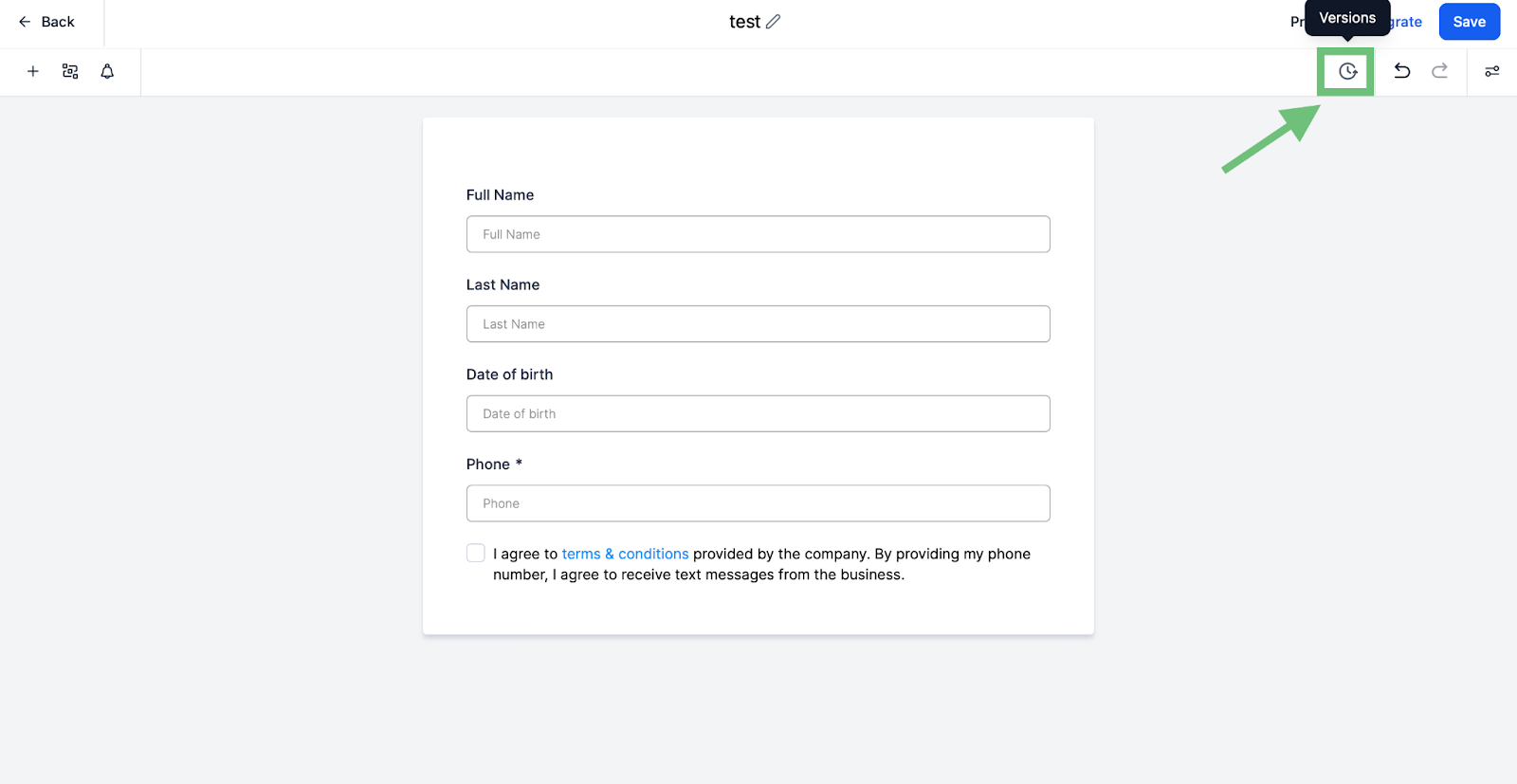
In the builder Click on newly added “Versions” options.
Here you can see all the previous versions of your form/surveys.

Form and Survey Version History empowers businesses to effortlessly track revisions, correct errors and optimize form designs.
