Stay Up To Date
We believe in keeping you in the loop with all the latest happenings in our courses and system. On this page, you'll find a comprehensive log of all the exciting changes, improvements, and additions we make to our courses and system. Whether it's a new feature, a course enhancement, or a system update, we've got you covered. Bookmark this page and check back regularly. We're committed to ensuring that your learning experience remains exceptional and that you have all the information you need to succeed.

New Features

New Updates

Resources & Tools

Important Updates
Here are some of the most recent updates we thought would be helpful to take note of
New Feature: Bulk Company Actions
Consider a small marketing agency using the CRM to manage client relationships. With Bulk Actions for Company Contacts, the agency can quickly add new clients to their respective company profiles, remove outdated contacts, and edit contact details, ensuring accurate and up-to-date client information for effective campaign targeting and communication.
Bulk Company Actions: Efficiently manage company contacts by performing bulk additions, removals, and edits streamlining operations.
⭐️ Why Does It Matter To Your Business?
Time-Saving Efficiency: Save valuable time by performing bulk actions such as adding, removing, or editing contacts within companies, eliminating the need for manual individual management and allowing businesses to focus on more critical tasks.
Enhanced Organization: Maintain a well-organized CRM database by easily associating multiple contacts with relevant companies, ensuring streamlined communication and relationship management.
Seamless Company Management: Simplify company-level operations by efficiently managing bulk contact associations, enabling businesses to swiftly organize and update company profiles for improved workflow and client engagement.
⭐️ How To Use Bulk Company Actions:
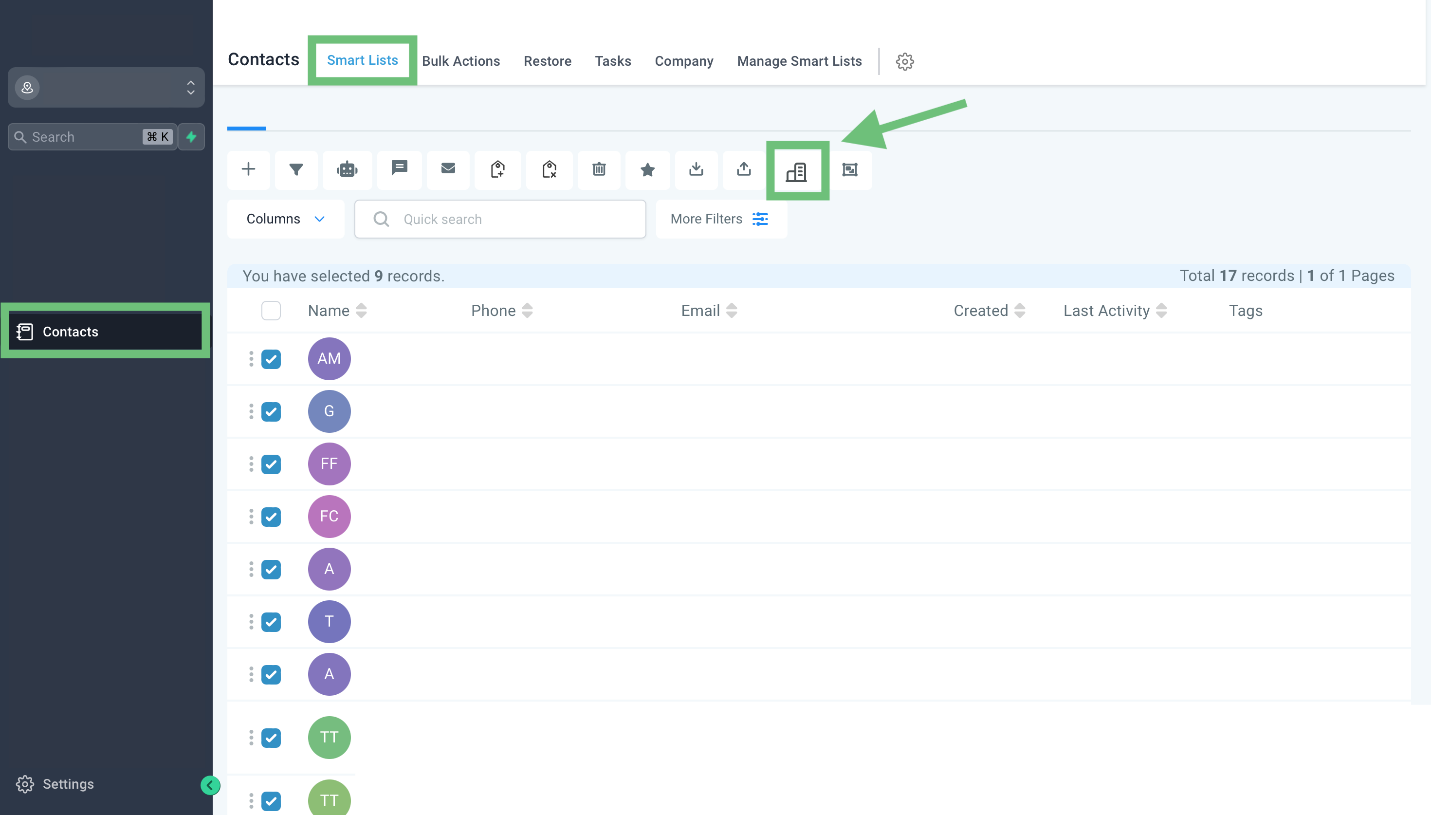
Access the Contacts tab from the left navigation menu. Go to Smart Lists and select the required contact. Now click on the company icon.
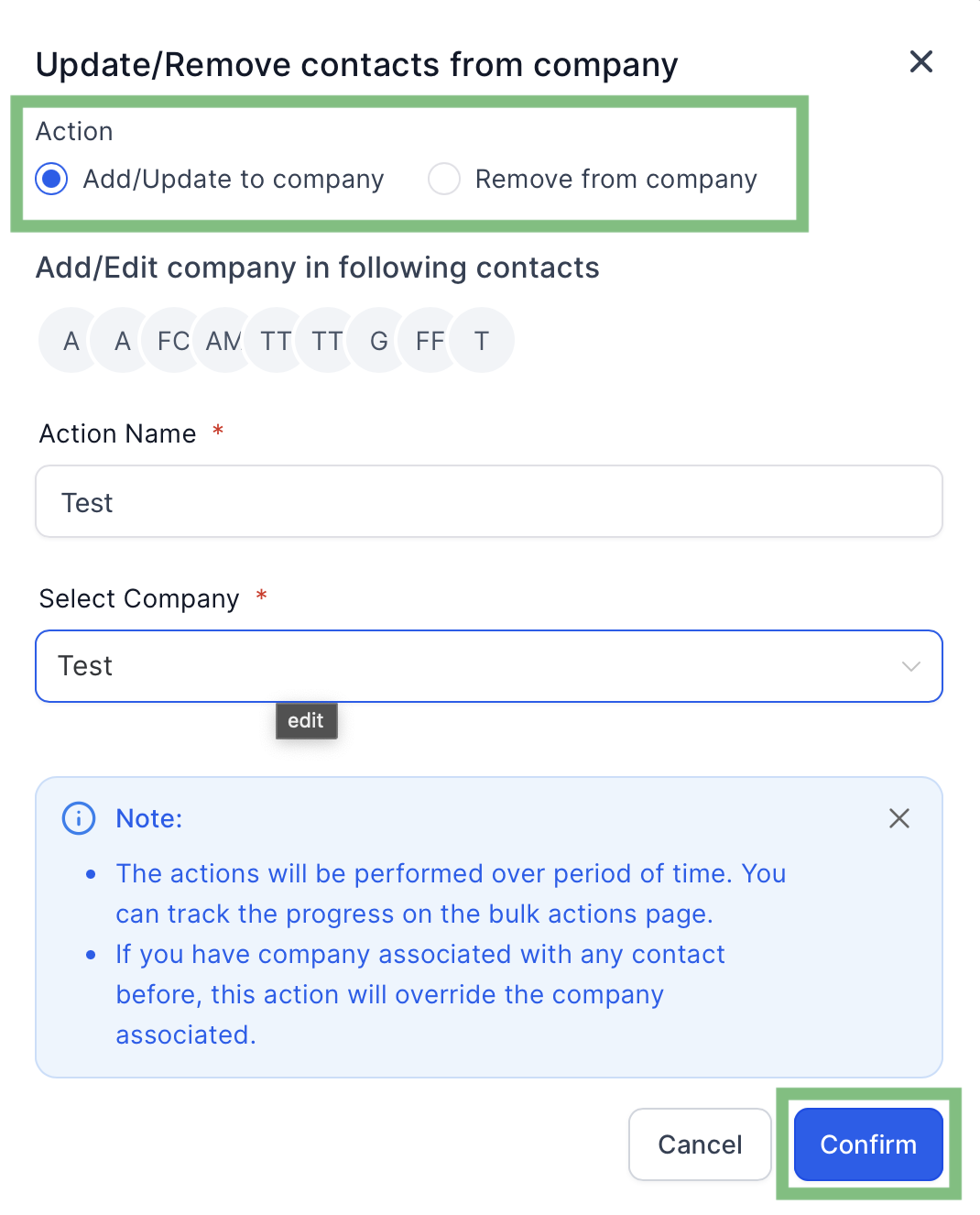
Select the action whether you want to add the selected contacts to a company or want to remove the selected contacts from a company. Now name the action and select the company and click “Confirm”.
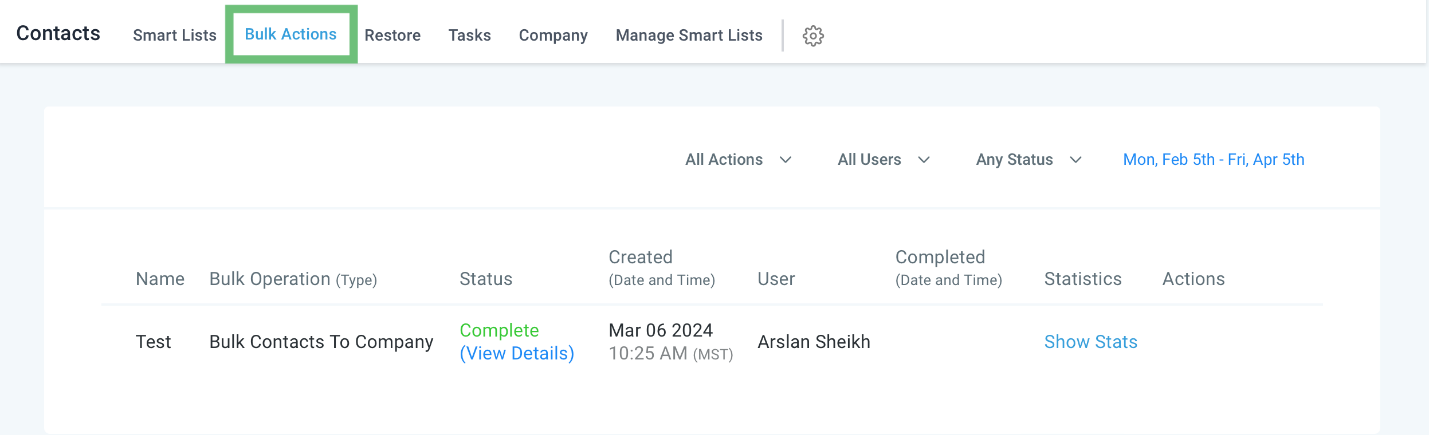
You can check the progress of the process under the Bulk Actions tab.
Bulk Actions for Company Contacts empowers businesses to efficiently manage their contact database, saving time and enhancing organization.
